DHV Series - How-To Guide
One row in the Factory list tells the unit which side the driver sits on - and it is a setting, not a hardware option.
A unit set to the wrong side puts the door-open icon on the passenger door. The row that fixes it is called Driver's Door position, and it changes on a single tap.
0:32 - the Factory code, then Driver's Door position from Left to Right and back, on a bench unit. Open the clip on YouTube if the embed is blocked.
Note: As our products are continuously upgraded, the interface on your unit may look slightly different. Please select the corresponding function according to your own model.
Quick answer
Open Settings, tap Factory, enter the service code and scroll down to Driver's Door position. Tap the row and the value switches between Left and Right immediately - no dialog, no save button, no restart. Set it to the side the driver sits on: Left for a left-hand-drive car, Right for a right-hand-drive car.
The DHV firmware does not work out which side the driver sits on by itself. It asks, once, and stores the answer as a single value that the rest of the system reads. That value is what the Factory list calls Driver's Door position, and it is the only place in the menus where the side of the car is defined.
This matters more than it sounds, because a head unit is fitted to cars built for both traffic systems. Roughly a third of the world drives on the left and sits on the right - the United Kingdom, Ireland, Australia, New Zealand, South Africa, Japan, Thailand, Malaysia, Indonesia, India, Cyprus and Malta among them - and a unit that leaves the factory set to Left will show the wrong door on every one of those cars. Nothing breaks. The car graphic simply opens the passenger door when the driver gets out, which looks like a fault and is not one.
The value is read by the door logic, so the visible result is the door-open indicator: the side of the car drawing that highlights when a front door opens. If your unit draws the door on the wrong side, this row is the cause, and it is the only sensible cause - there is no wiring change and no adapter that flips it.
One thing to separate before we start. Customers often arrive here looking for something else: a mirrored reversing camera, reversed steering wheel volume keys, or an A/C panel that reads backwards. Those are real settings on the same unit, but they are different rows - this value does not touch them, and changing it will not fix a mirrored camera. The guides linked at the end of this page cover each of those separately.
Driver's Door position is not in the user pages. It sits in Factory, the page installers use for the car model, the CAN box and the camera formats, which is why it is behind a code and why it is not where owners look first.
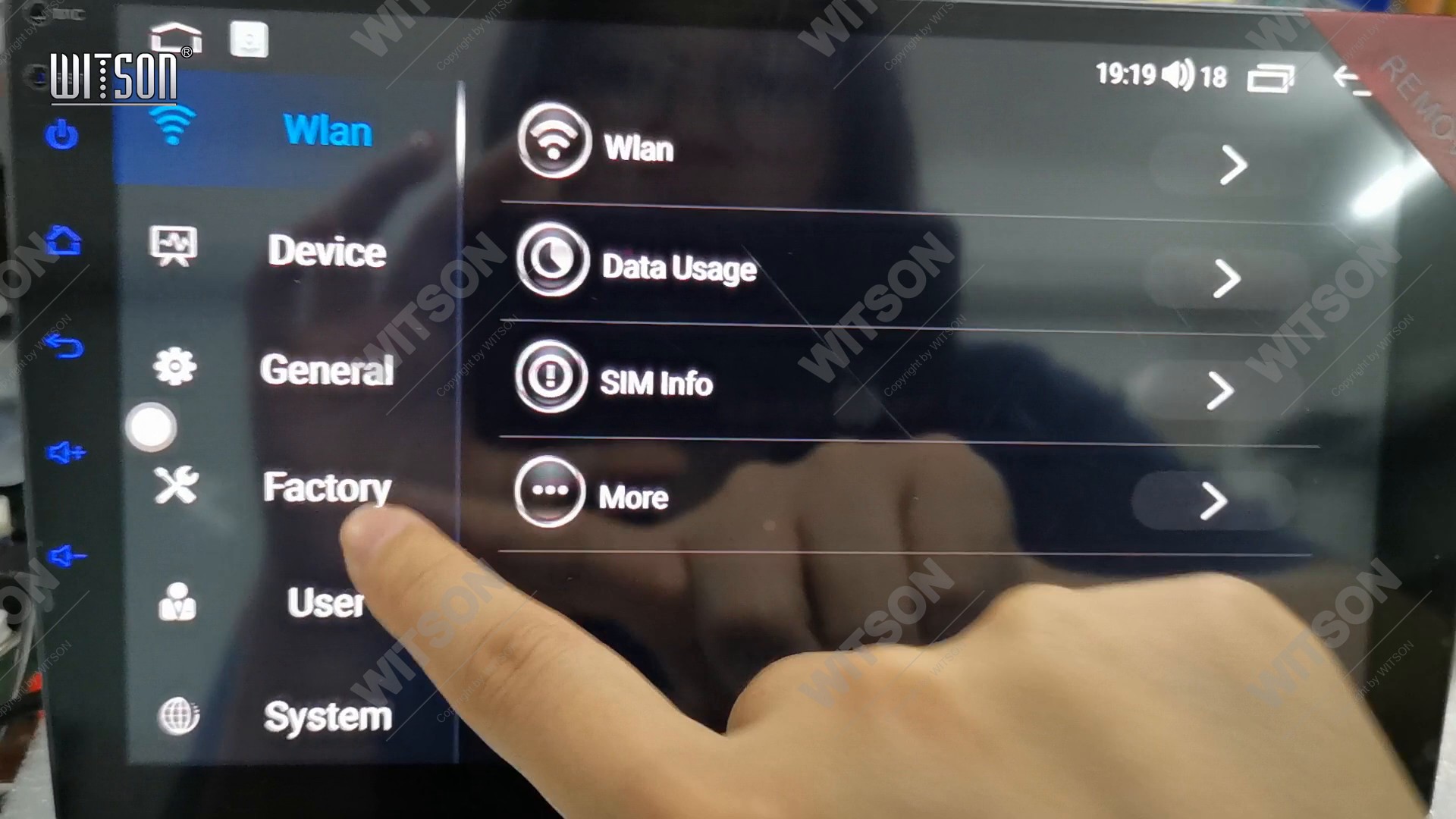
Open Settings from the app drawer. The left column reads Wlan, Device, General, Factory, User and System, and the page opens on Device, whose rows are Wlan, Data Usage, SIM info and More. Tap Factory, the fourth entry down, marked with a crossed spanner. Tapping a column does not open a new screen - it swaps the list on the right, so the rows change under your finger rather than the page sliding away.
Factory opens on a keypad with Enter the password above it, digits 1 to 9 in three rows, 0 below, an X to clear the entry and Confirm at the bottom. Type the code your unit expects - 3368 on the bench units we record, and whatever your dealer supplied if a distributor changed it - then tap Confirm. The field above the keypad fills in as you type, so you can check the four digits before you commit them. Until the code is accepted the list stays closed.
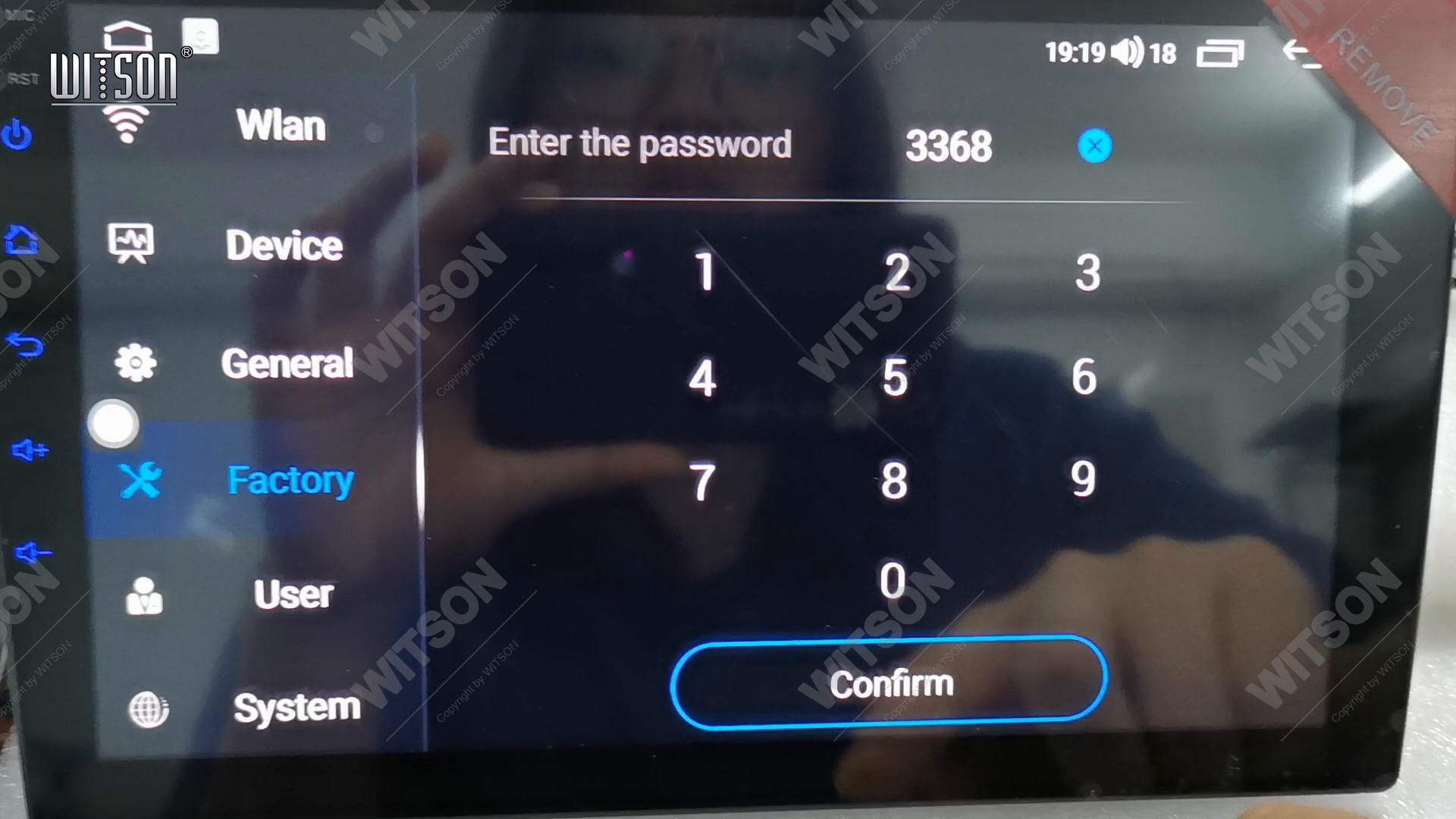
Everything on the other side of this keypad is an installer setting, and the page is shared by half a dozen functions that have nothing to do with each other. Read the row you are about to tap before you tap it - the list has no undo.
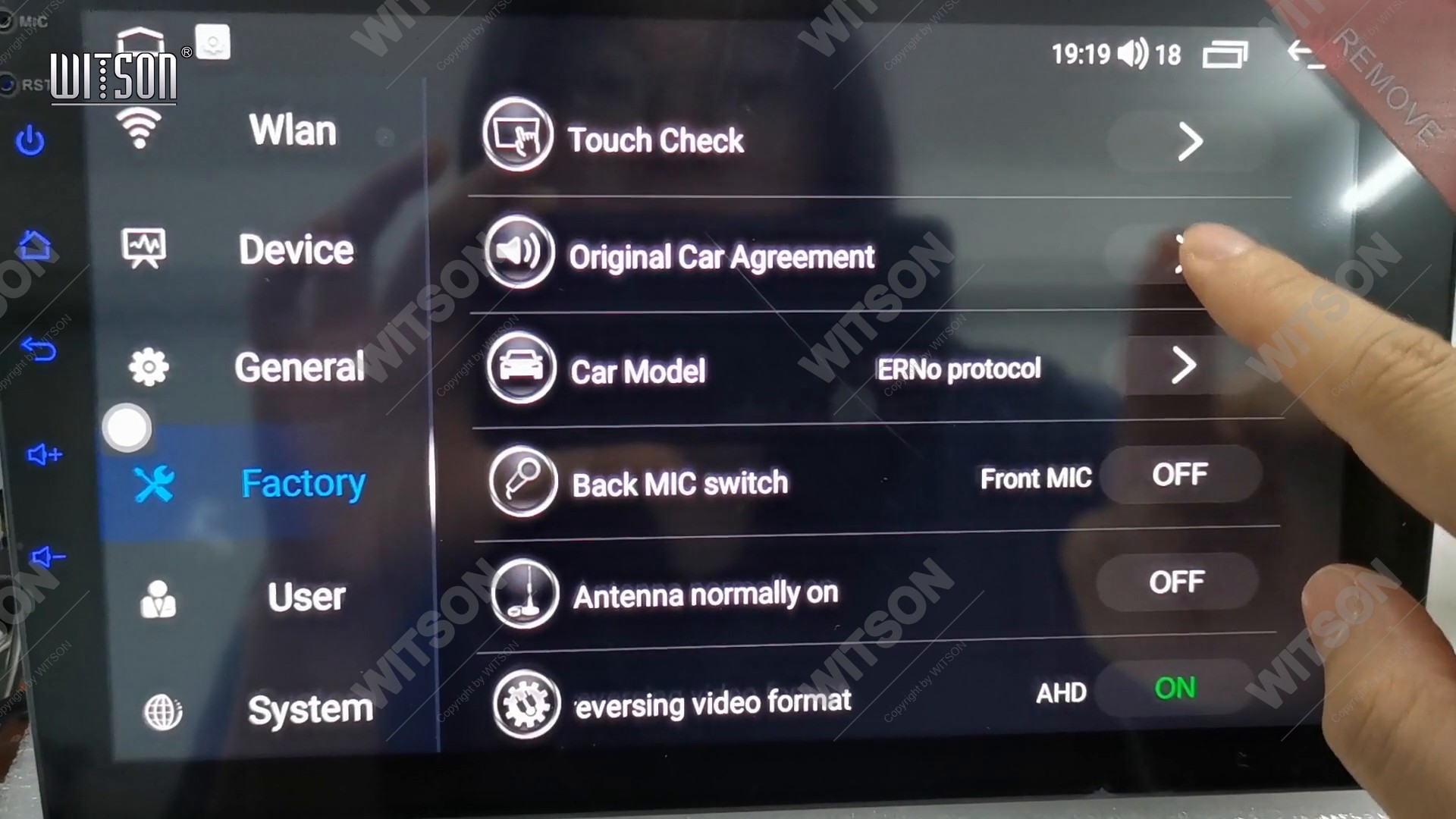
The Factory list starts with the car-level settings and gets more specific as you scroll. At the top sit Touch Check, Original Car Agreement, Car Model with the protocol name on the right, Back MIC switch, Antenna normally on and the reversing video format row. Our row is further down, past the temperature and camera options.
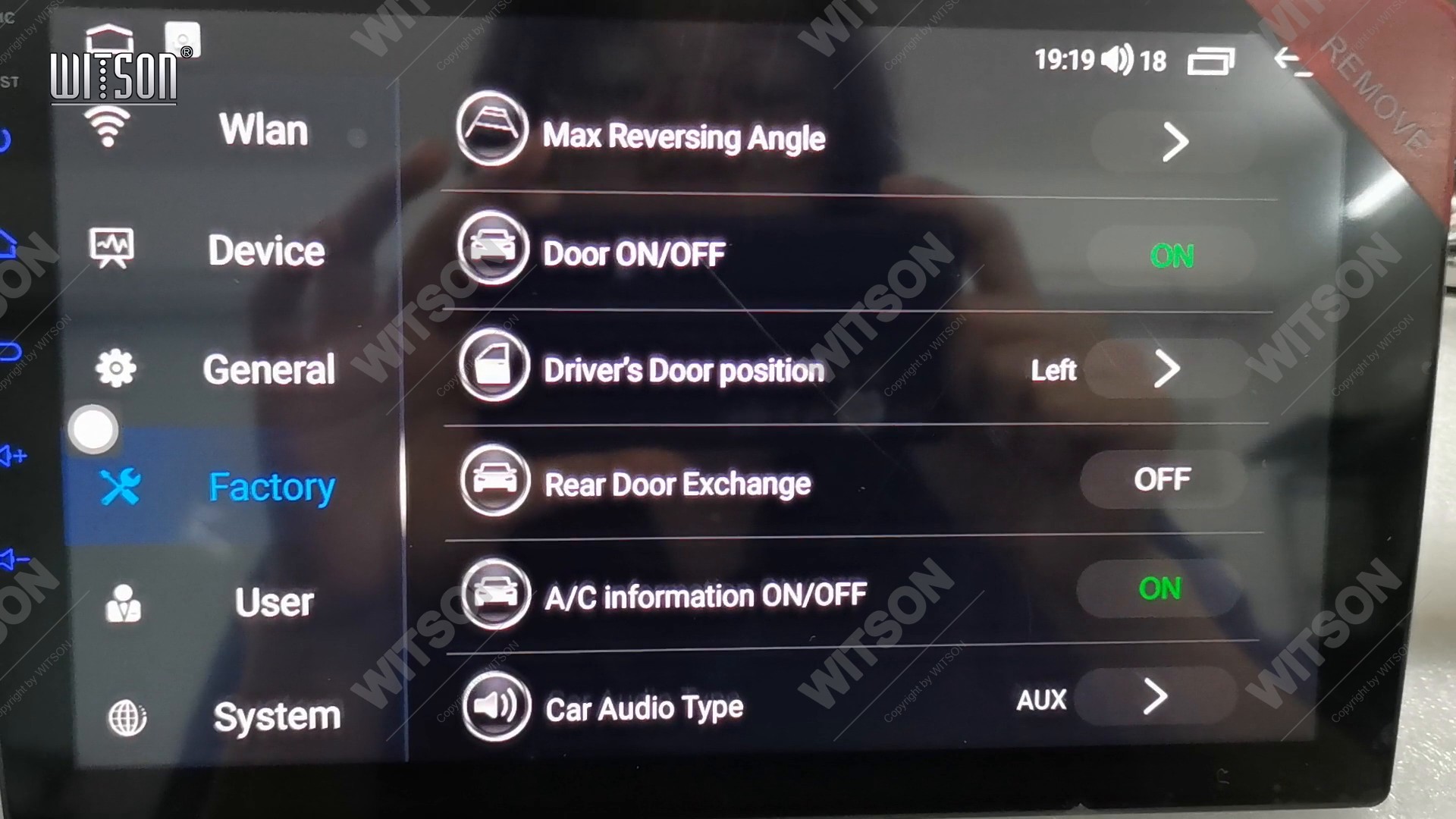
Swipe the list up and keep going. The rows you pass are, in order, External Temperature, Automatic start and stop, Radar Display ON/OFF, Reverse Parking Line, Static Trace, Reversing track reversal, Max Reversing Angle and Door ON/OFF. The next row is Driver's Door position, with a single word on the right. Below it sit Rear Door Exchange, A/C information ON/OFF and Car Audio Type - if you can see those three, you have scrolled past the row you want and should come back up one.
The value on the right is the current setting - Left on the unit in the clip, which is how it leaves the factory. Tap anywhere on the row and the value flips to Right on the same tap. There is no dialog, no picker and no confirm button: the row is a two-state switch, and every tap moves it to the other state. The change is written straight away, and the unit does not restart.
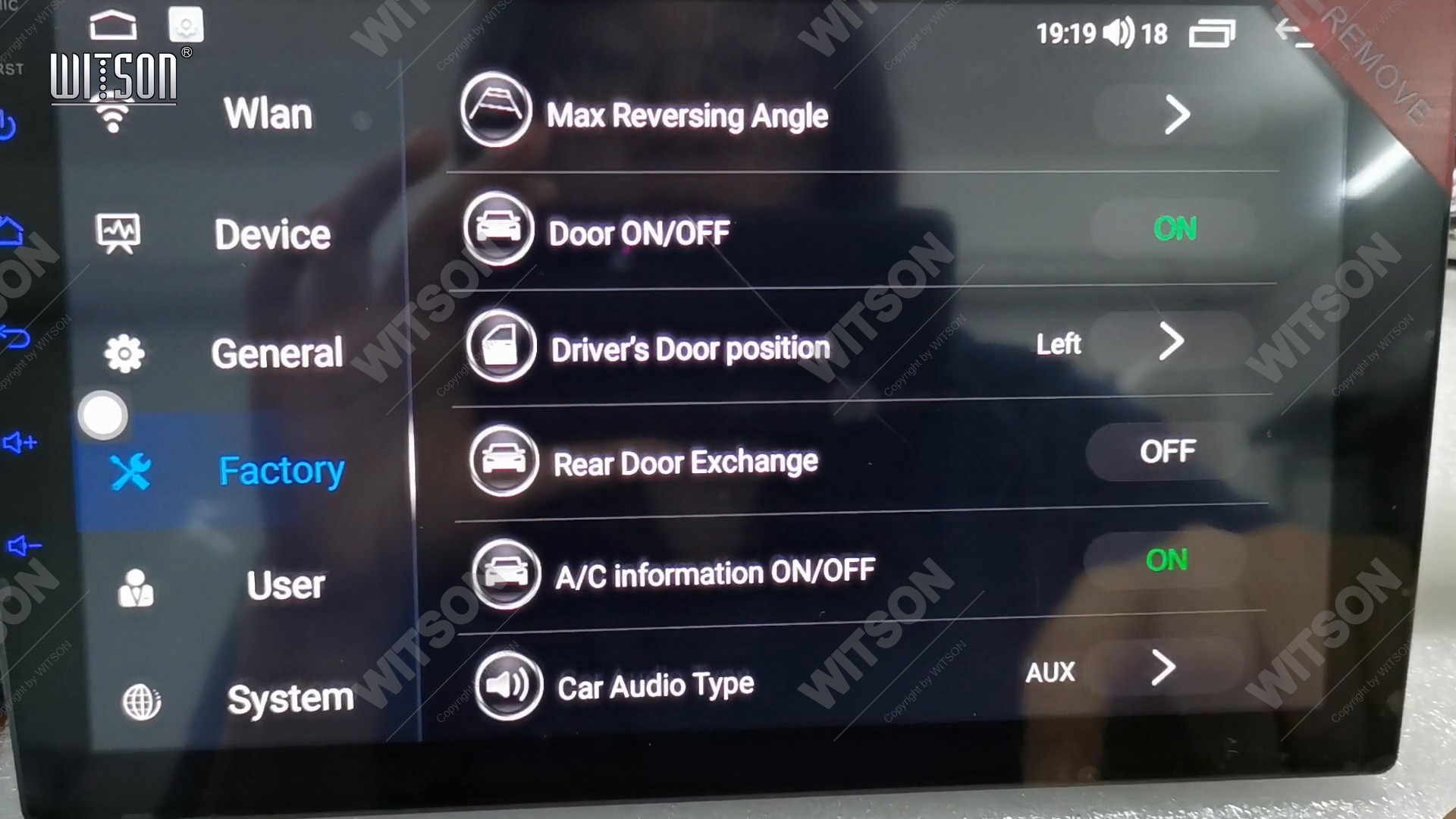
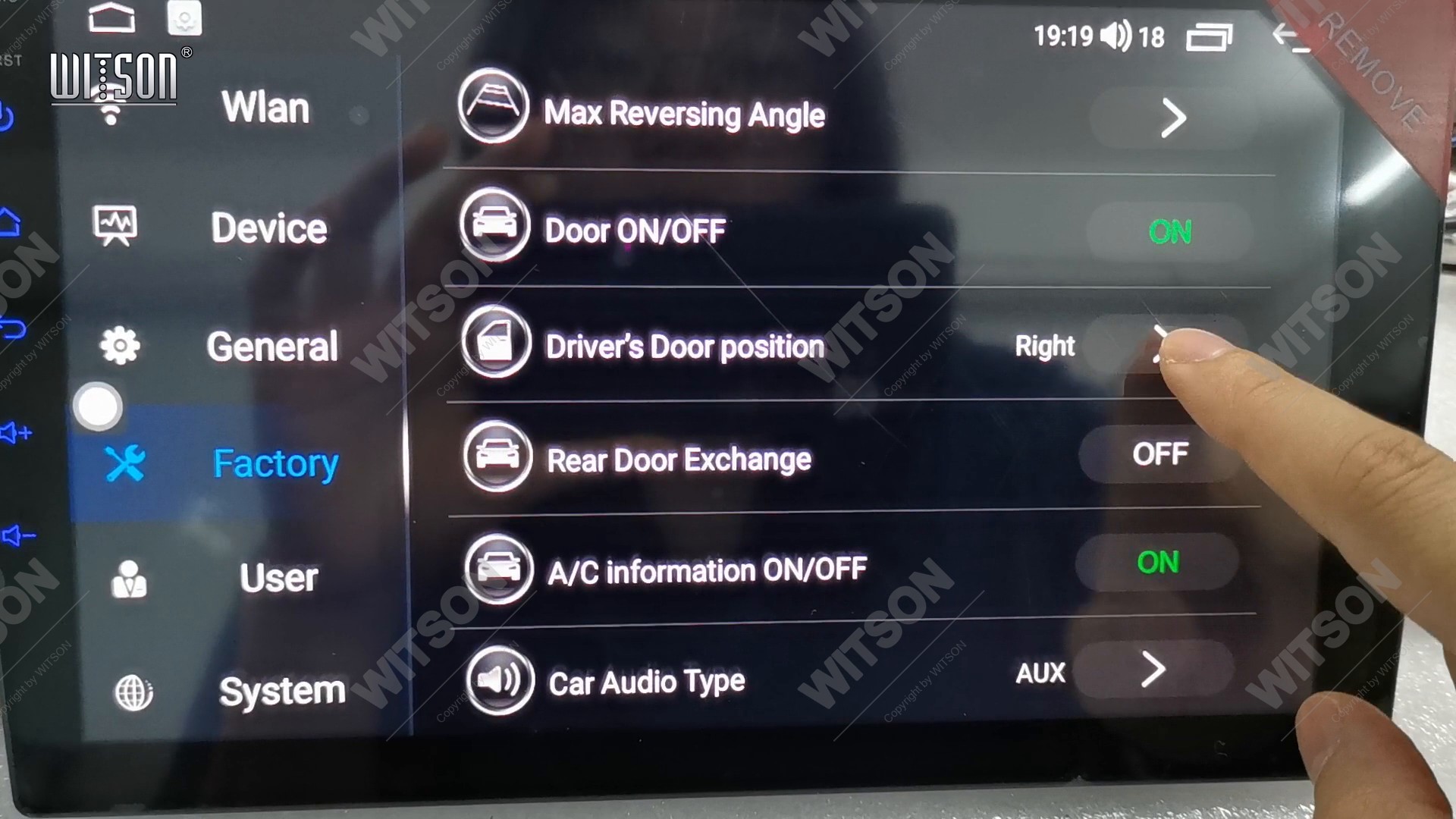
Because the row is a toggle rather than a menu, tapping it twice leaves you where you started. That is not a fault and it is worth knowing before you hand the car back: if the customer cannot tell you which side they drive on, tap once, look at the door indicator, and tap again if it moved the wrong way.
The honest answer is narrower than most owners expect. The value changes which door the unit treats as the driver's door, and the door logic reads it from that moment on - no reboot, no re-pairing, no re-learning of anything. What it does not do is reconfigure the car. The CAN box still reports the doors the car actually has, the camera inputs stay on the same connectors, and the radio presets, paired phones and navigation favourites are untouched.
So the checklist after the change is short. Open and close the driver's door and watch the indicator on the car graphic: it should now highlight the side the driver sits on. If the indicator was already correct on one side and wrong on the other, the value is right and the fault is elsewhere. If nothing on the screen changes at all, check that the CAN box is reporting door status - a bench unit with no vehicle attached reports nothing, and the CAN box setup and protocol guide covers that side of the installation.
Two neighbours in the same list are worth naming, because they get confused with this row. Door ON/OFF, one line above, switches the door indicator off altogether - a setting for installers who are chasing a wiring fault, not a side selector. Rear Door Exchange, one line below, swaps the two rear doors with each other and has nothing to do with the front. Neither of them moves the driver's side.
Not every DHV build carries this row, and its absence is information rather than a fault. The Factory list is assembled from the functions the firmware supports, so a build without door-status support simply has no row to show. The two rows above it explain most cases: Original Car Agreement names the vehicle protocol, and Car Model names the car. If both are empty or read as unknown, the unit has not been told what it is fitted to, and the door logic has nothing to work with.
Set those first, then look for Driver's Door position again. If it is still absent after the car model is correct, the firmware on the unit predates the setting - in that case send us the model, the firmware version from Settings, System, and a photo of the Factory list, and we will tell you whether an update adds it. Do not go looking for the setting in the user pages; it is not there on any build.
The list has no undo and no save, so the value you leave behind is the value the customer gets. Three habits keep this clean. Set the side last, after the car model and the camera formats are already right, so you are not toggling it twice. Check the door indicator before you refit the trim, while the screen is still in reach. And if you have changed anything else on the page, write down what you changed - the next person to open Factory will have no way of knowing.
| What you notice | Cause | What to do |
|---|---|---|
| Door indicator opens the passenger door | Driver's Door position set to the other side | Factory, Driver's Door position, tap once and check the indicator. |
| No door indicator at all | Door ON/OFF is off, or the CAN box reports no doors | Turn Door ON/OFF on, then check the CAN box and its protocol in the same list. |
| Row is nowhere in the list | Build without door-status support, or car model not set | Set Original Car Agreement and Car Model first; if it is still absent, ask us about firmware. |
| Value flips back after a tap | The row was tapped twice | It is a toggle, not a menu. Tap once and read the value before leaving. |
| Rear doors swapped, fronts unchanged | Rear Door Exchange was changed instead | Set Rear Door Exchange back, then use the row above it. |
| Reversing camera still mirrored | Different setting, not this one | See the reverse camera guide linked below; this row does not touch the image. |
| Factory list will not open | Service code not accepted | Retype the four digits and tap Confirm; the list stays closed until the code is right. |
For the rows around this one, the neighbouring guides cover the rest of the same page: the reverse camera mirror, format and guide lines, steering wheel control learning, the home screen layout and launcher app and split screen and picture-in-picture. Clips for every guide are collected in the WITSON Video Showcase.
In Settings, Factory, behind the service code. Scroll past the temperature and camera rows to Driver's Door position. Its value reads Left or Right, and one tap switches it. It is not in the user pages and there is no separate LHD/RHD switch anywhere else in the menus.
No. The value is written the moment you tap and the door logic reads it immediately, so there is no reboot, no re-pairing of phones and no re-learning of steering wheel controls. The clip in this guide shows both taps with no restart in between.
The side the driver sits on, not the side of the road you drive on. In the United Kingdom, Ireland, Australia, New Zealand, South Africa, Japan, Thailand, Malaysia, Indonesia, India, Cyprus and Malta the driver sits on the right, so the row reads Right. Everywhere else it reads Left.
No. The camera mirror, the camera format and the steering wheel key mapping are separate settings on separate rows. Driver's Door position only tells the unit which front door belongs to the driver, and changing it will not alter any image on the screen or any button on the wheel.
Check Original Car Agreement and Car Model first - both sit near the top of the same list, and a unit that has not been told which car it is fitted to cannot use the door logic. If the rows above are correct and Driver's Door position is still missing, the firmware predates the setting; send us the model, the firmware version and a photo of the list.
Reference
Row missing, value not sticking, or the door indicator still on the wrong side? Tell us the model, the firmware version and what the Factory list shows.
Ask WITSON SupportMore in the WITSON how-to guides, including the DHV reverse camera guide.