DHV Series - How-To Guide
Two switches in the Factory menu decide which way the wheel keys count.
Volume down when you press up, or Next skipping back? The keys are not miswired - the unit is inverting them. Two rows in the Factory list reverse the volume and the track direction, and changing them takes about a minute.
0:36 - the Factory list on a bench unit, scrolled to the two Reversal rows. Open the clip on YouTube if the embed is blocked.
Note: As our products are continuously upgraded, the interface on your unit may look slightly different. Please select the corresponding function according to your own model.
Quick answer
Open Settings, tap Factory in the left column, enter the factory code and tap Confirm. Scroll to the bottom of the list. Turn on Reversal Volume if volume up and down are swapped, and Reversal Previous And Next if next and previous tracks are swapped. One row per fault; both rows sit just above Protocol Print.
A steering wheel key arrives as a number, not as a word. On cars with a protocol box the box reads the vehicle bus and forwards that number; on cars without one the wheel feeds a resistive key line. Either way the unit holds a table that says what each number means, and the direction of every function lives in that table.
Nothing in that chain knows which way the driver expects the value to move. The firmware ships with one convention; some vehicles and some Canbus profiles arrive with the opposite one. The unit then receives every press correctly and acts on it correctly - just in the direction you did not want. The panel behaves normally because the panel is a different input.
So the fix is a pair of switches, not a new harness. The DHV series keeps two rows in the Factory list for this: one inverts the volume keys, one inverts the next and previous keys. They are independent, because a car can arrive with only one of the two reversed. Both are toggles, not a menu - no save button, the state is written when you tap it.
Three checks, two minutes, and they decide whether this page is even the right one.
Press volume up on the wheel and watch the volume bar. If the bar moves the wrong way, you are in the right place. If nothing happens at all, the keys are not reaching the unit - that is a learning or Canbus job, and the SWC learning procedure for the DHV series is the page to follow instead.
Turn the volume knob or press the panel volume key. If the panel is correct and only the wheel is backwards, this is the Reversal switches. If the panel is backwards too, the fault sits upstream of these rows.
Before changing anything, write down whether each row reads OFF or ON. It is the fastest way back if a change makes things worse, and it tells our support team what state the unit arrived in.
The switches are in the Factory section of Settings, below a long list of vehicle options. Four taps and one scroll.
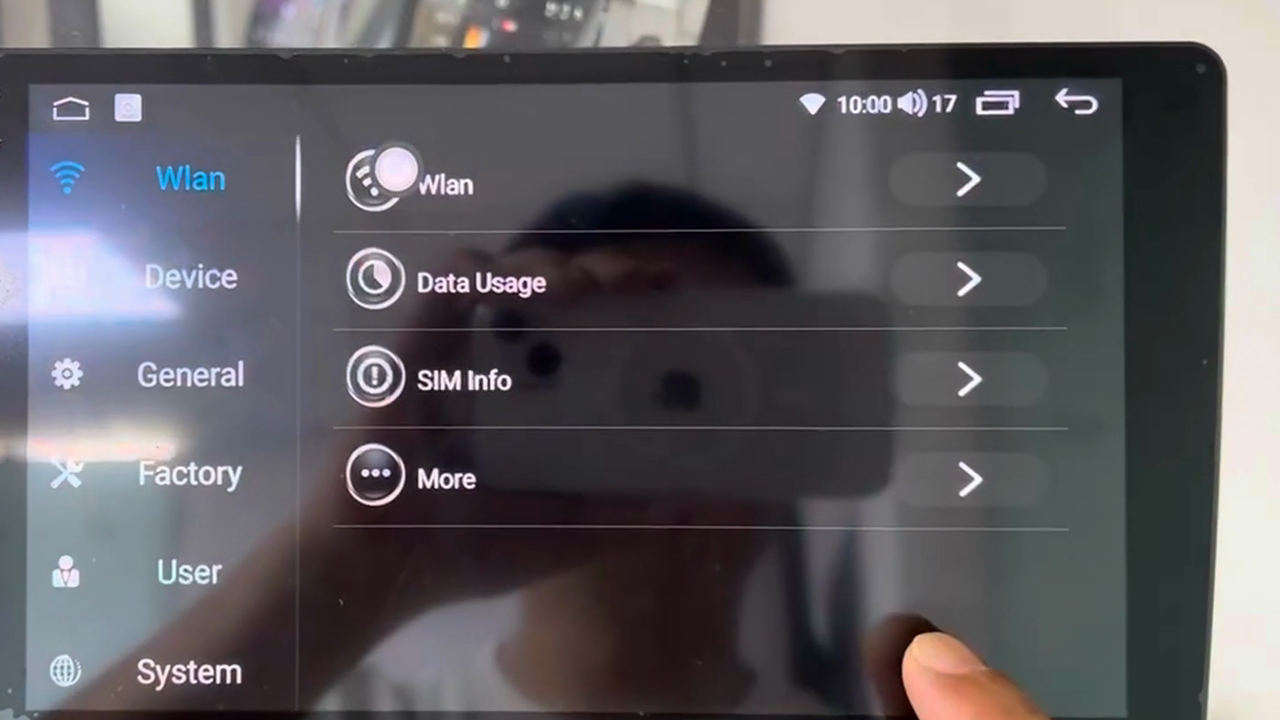
From the home screen open Settings. The left column lists Wlan, Device, General, Factory, User and System. Tap Factory - the fourth entry, marked with the crossed tools icon.
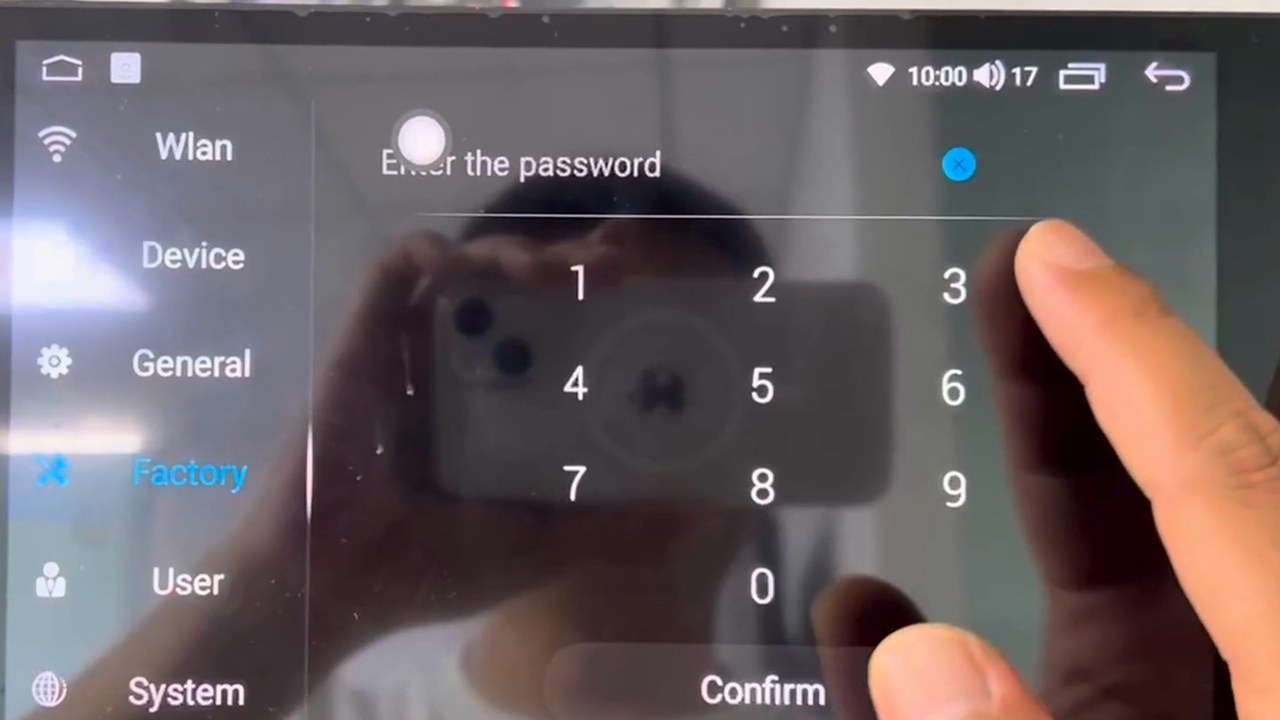
The Factory tab is protected. The keypad appears with Enter the password at the top; type the four-digit code and tap Confirm. The code on the unit in our clip is the factory default - if yours was changed by a previous installer, ask your supplier rather than guessing.
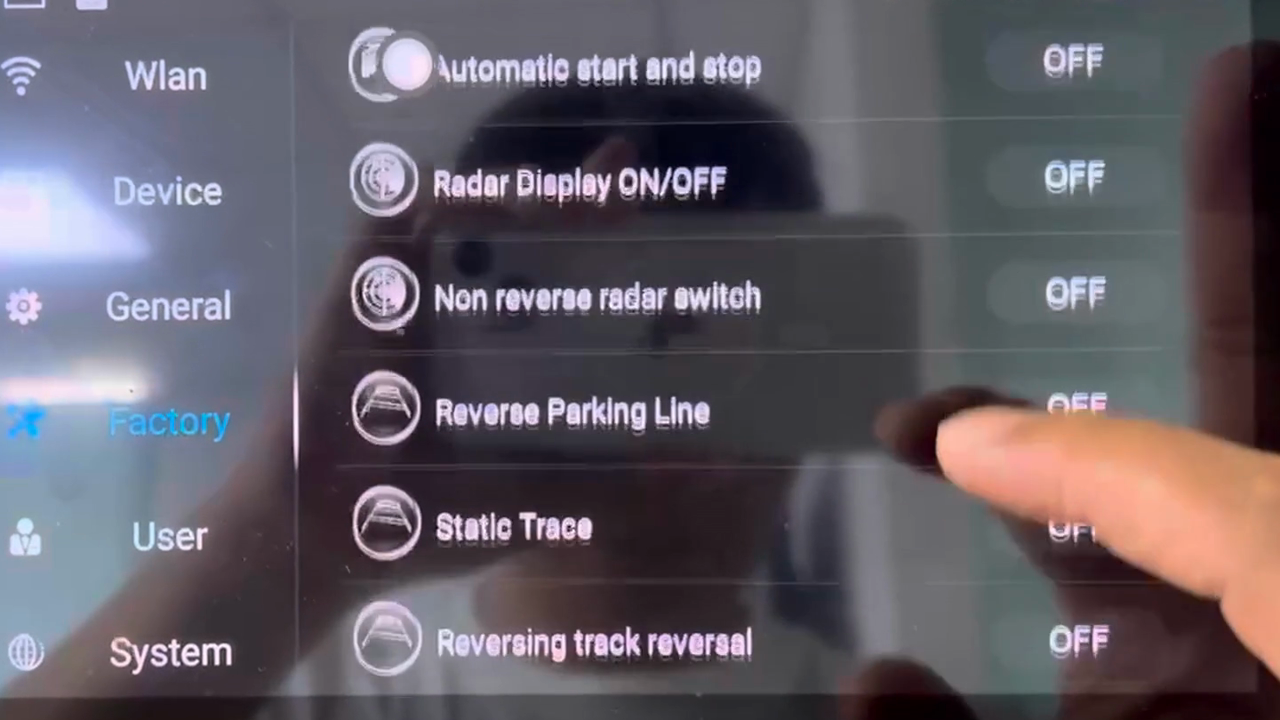
The list is long and its order is fixed: touch and camera checks at the top, then radar, reverse guidelines, door information, audio type, and finally the Reversal rows, Protocol Print and CAN box upgrade. Scroll past the camera and door options; the two rows you want are the last pair of switches before Protocol Print.
The pair reads Reversal Previous And Next and Reversal Volume, both showing OFF from the factory. Tap the one you need and it switches to ON in green. No save button, no reboot - the change applies to the next key press.
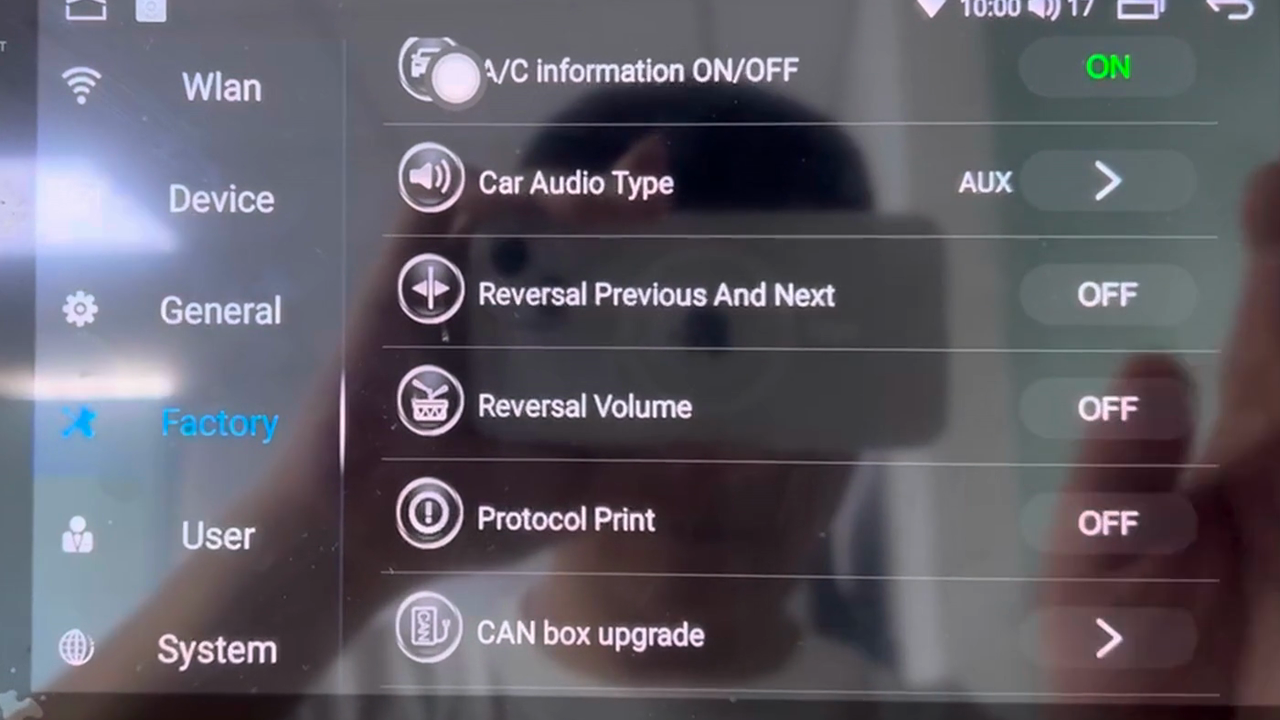
Each row covers one group of keys and nothing else. Match the fault to the row instead of switching both on, or you will invert a group that was already correct.
Volume keys the wrong way round - volume up lowers the level, volume down raises it, mute lands where you did not expect: Reversal Volume.
Track keys the wrong way round - next goes back one track, previous goes forward: Reversal Previous And Next.
Both groups the wrong way round - rare, but it happens on a few Canbus profiles: switch both on. They are independent toggles, so this is a legitimate setting and not a workaround.
If a mode or source key now opens the wrong app, that is not these rows. Mode and source are assigned per slot in the SWC table - re-teach the slot rather than inverting a whole group.
Two entries in the same list carry the word reversal, and mixing them up is the most common way to spend an afternoon on the wrong screen.
Reversing track reversal, a few rows higher, belongs to the reverse camera: it flips the direction of the parking guidelines drawn over the camera picture. If the guidelines curve the wrong way in reverse, that is the row to touch, and Max Reversing Angle beside it sets how far they swing.
Reversal Previous And Next, further down, belongs to the steering wheel track keys. Same word, different system - read the icon as well as the label: the track row carries a forward-and-back control symbol, the camera row a camera symbol. Further down still, Protocol Print dumps the Canbus traffic our support team asks for, and CAN box upgrade opens the firmware page for the protocol box. Neither changes key direction.
Leave Factory with the back arrow, open the radio, and press each key once. Volume up should raise the level, next should move forward. Do it with the engine running if you can, because a few vehicles send wheel keys only when the ignition is on.
Then switch the ignition off for ten seconds and back on, and press the same key again. A state that survives a power cycle is stored properly; one that reverts to OFF means the settings block is not being written, and the ACC and battery wires at the harness are the first thing to check.
If the direction is still wrong after both rows are set as above, the problem is upstream and no toggle will fix it: the Canbus box is on a profile that does not match the car, or the wheel codes were learned into swapped slots. Start with the profile - the HB / DHB 2+32 and HV / DHV 4+64 platform introduction lists what each DHV variant is built on, and the default menu wording is in the WITSON operation manual download section. The launcher itself is shown in the DH series interface video.
| Symptom | Cause | What to do |
|---|---|---|
| Volume up lowers the level, volume down raises it | Volume group inverted for this vehicle profile | Factory list, turn on Reversal Volume. |
| Next goes back one track, previous goes forward | Track group inverted | Factory list, turn on Reversal Previous And Next. |
| Both groups backwards after a unit swap | Profile written for a different car | Switch both rows on, then confirm the Canbus model. |
| Wheel keys do nothing at all | Table never learned, or box on the wrong vehicle | Set the Canbus model, then run the SWC learning procedure. |
| Panel keys backwards, wheel correct | Not the Reversal rows - panel input is mapped separately | Check the panel key learning entry, not this page. |
| Reversal rows missing from the list | Different platform or firmware build | Send us a photo of the full Factory list with the model name. |
| Guidelines on the reverse camera curve the wrong way | Camera setting, not an audio key setting | Use Reversing track reversal, several rows higher. |
Only the group that is actually wrong. Volume keys backwards: Reversal Volume. Track keys backwards: Reversal Previous And Next. Switching on a row that was already correct inverts a working group, which is how people end up with both problems at once.
Press a wheel key once after leaving the menu - the state applies to the next key event. If the direction is still wrong, the wheel codes were probably learned into swapped slots rather than inverted; re-teach those two slots in the SWC app.
These two rows act on the steering wheel key input. Front panel keys and the knob are a separate input with their own mapping, so in normal use the panel keeps working the way it did. If the panel itself is backwards, that is a panel key learning question and not this page.
It survives a normal reboot and a normal firmware update. A factory reset returns the block to defaults, so both rows come back at OFF - check them afterwards. That is why a unit that was fine for months can come back from a reset with reversed keys.
No. It sits a few rows above and controls the parking guidelines drawn on the reverse camera picture - it flips the direction the lines bend towards. The audio keys are governed only by the two Reversal rows described here.
The unit in our clip takes the factory default four-digit code. Installers often change it, and we do not publish a code that may not match your unit. If the default is rejected, ask the company that supplied the unit - they set it, and the list behind it edits vehicle behaviour.
Reference
Still reversed after both rows, or the rows are missing on your build? Send us the vehicle model, the year and a photo of the full Factory list.
Ask WITSON SupportMore in the WITSON how-to guides, including the DHV SWC learning procedure and the DHV touch screen calibration guide.