In-car audio / noise that arrives with the plug
The buzz isn't in your speakers. It arrives with the plug, because that lead just gave the current a second road home. Unplug the device, leave the cable in the socket - if the noise stops, you've halved the job.
What the plug brings
I've heard this called a speaker fault more times than I can count. It gets misdiagnosed that way because the noise comes out of the speakers, and it almost never is one. A bad speaker buzzes with the radio off; yours goes quiet when you pull the plug.
An amplifier does one job: it takes the difference between the signal on its input and the voltage on its own earth, then makes that difference louder. Keep the earth steady and the music is clean. Move it a few millivolts and the amp can't tell that from signal, so it amplifies it.
Now plug something in. The charger in your 12 V socket and the head unit both claim to be at zero volts, but they don't get there the same way - different studs, different panel bonds, different lengths of wire. Two roads, two slightly different voltages, and current starts flowing between them to level things out. If it flows through the shield of your USB lead, you get a soft hum. If it flows through the audio earth, you get the buzz you're complaining about.
That's the whole trick, and it's maddening how long it takes to see. The device isn't noisy; the loop is.
It explains the rest of the behaviour. Swap the charger and the noise changes pitch. Unplug the phone and it vanishes. Plug in a different phone and it's back. Nothing about the speakers changed in any of those tests. That's the frustrating part, because new speakers will never fix it.
Nearly every case fits one of these three. What I see most often is the charger, and knowing which one you have stops you buying for the wrong fault.
A 12 V to 5 V converter chops the supply tens of thousands of times a second. You can't hear that. You hear the ripple it leaves on the 5 V rail and on the earth it shares with the radio.
The socket earth, head unit earth and aerial earth are three points on one steel shell. Add a charger and the difference between them turns into a current.
D+ and D- switch constantly while a phone talks. Run that unscreened pair beside a preamp lead and the audio side picks the ticking up.
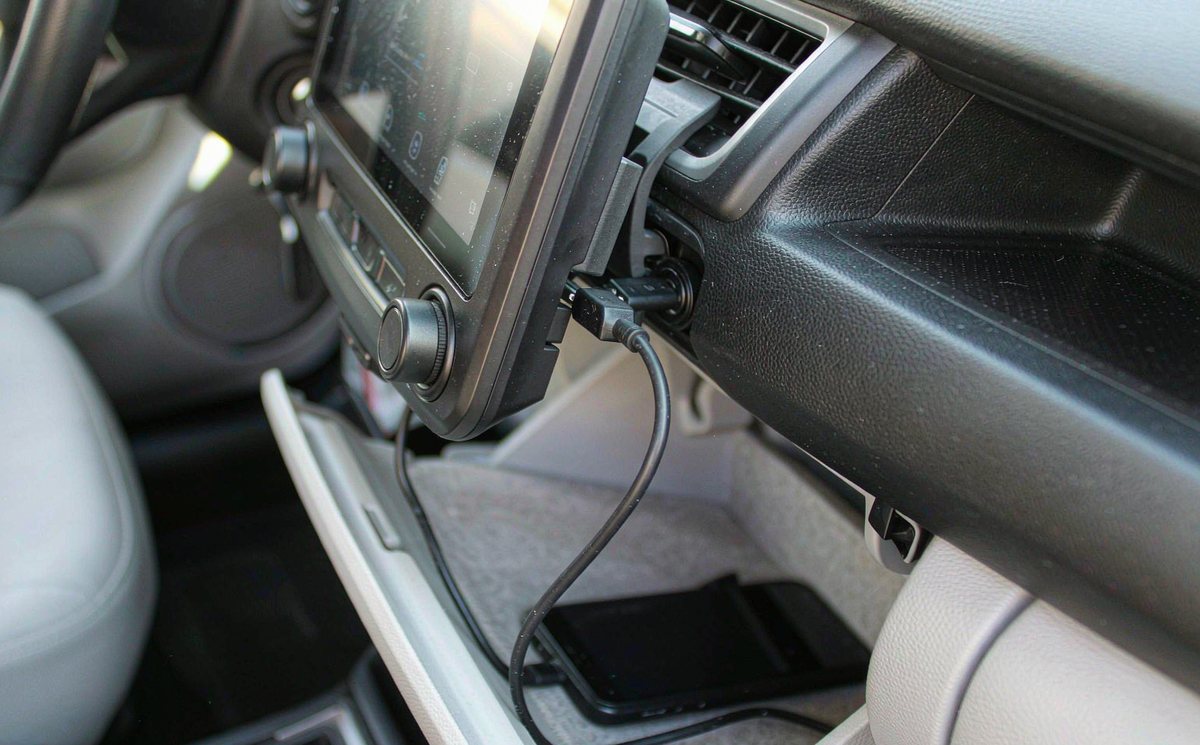
Run these five before you spend anything: twenty minutes, no tools, and you'll know whether the fault is the device, the cable or the earth under the dash.
Write down what each test did. Two lines on your phone saves you an awkward guess at the parts counter.
| What you hear | What it usually means | Free test | What ends it |
|---|---|---|---|
| Steady hum, the moment the plug goes in | Two earths sitting at different voltages | Power bank instead of the car | One earth point, or isolation |
| Whine that follows engine speed | Alternator ripple on the 12 V rail | Rev it in neutral, standing still | Clean earth, filtered supply |
| Ticking that matches the charge cycle | A cheap converter's control loop | Swap chargers, keep the cable | A charger with proper filtering |
| Buzz that stops when you touch the phone | The shield isn't bonded end to end | Hold it and listen | Re-terminate or replace the lead |
| Buzz only when audio streams over USB | Data pair coupling into the audio path | Play a stored file instead | Short screened lead, routed away |
The fourth row is the usual suspect when the phone gets blamed. Your hand is completing a circuit the cable should have completed on its own.
If the tests pointed at earth, this is where the time goes. Start at the head unit's strap and work back towards the battery.
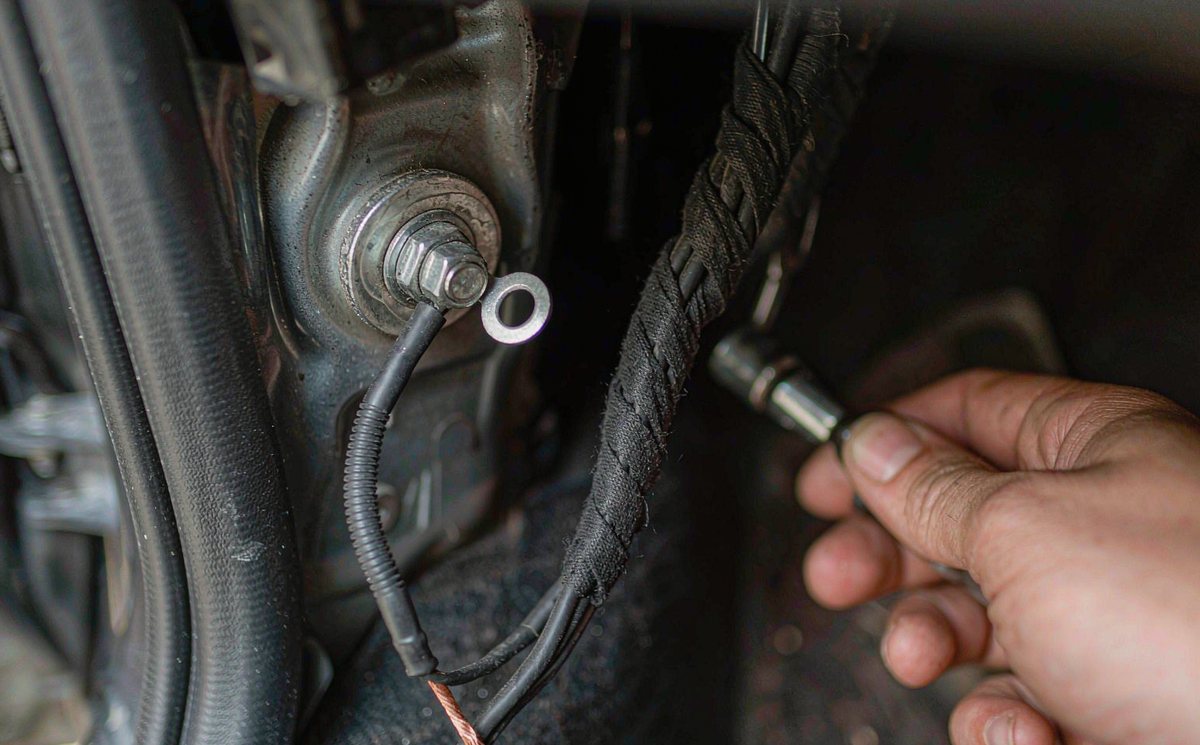
A strap that lands on a painted bracket is a resistor, not an earth, and what it needs is bare metal, a star washer and a bolt you can torque. The 12 V socket is usually worse: on a lot of cars sold in Europe its earth is a ring terminal on a plastic bracket held by a self-tapping screw, and that screw has been vibrating for a decade.
Then look at the lead. An android car stereo wiring harness adapter often arrives with its earth pin cut short, and whoever fitted it landed the wire on the nearest screw behind the dash. That works until you add a charger.
The charger's earth comes from the socket shell, which is bonded somewhere else in the car entirely. Two earths, one loop, and the audio side is the shortest road between them.
The charger and the radio share one earth by design, so there's less difference to drive a current. Quieter, but now the port's current rating is your ceiling.
Routing matters as much as the connection. Keep the USB lead away from the preamp and RCA runs; where they have to cross, cross at right angles and don't let them run parallel for a metre.
Two things still catch people out. A dash camera wired into the same harness shares that earth stud too, so an android head unit with reverse camera input can carry the buzz into the picture as a rolling bar. And if you're copying a routing from a forum post, confirm whether your car is LHD or RHD first - the loom runs down the opposite side, and the stud in the photo may not exist on yours.
As for the ferrite clip you were about to order: it's aimed at radio-frequency hash, not at a steady hum. Keep your money, that one's a silly buy.
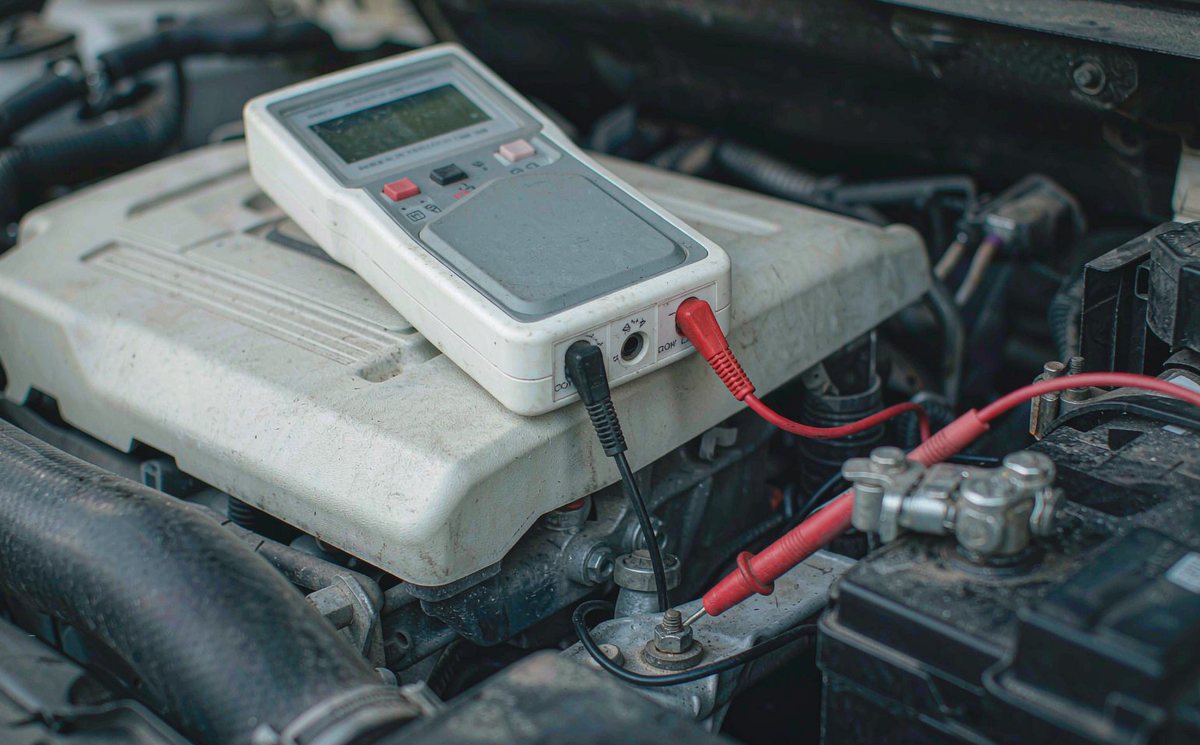
A meter turns three guesses into one answer. You're after DC volts and AC millivolts, nothing fancier.
Then check which port you're using. The common trap is assuming both sockets are the same. Some units carry a charge-only socket beside a data socket, and the labels differ across brands. A phone on the charge-only port can still buzz; it just won't hand over audio.
In the order I'd spend money, and only after the levels above:
Should I buy the isolator first? Plenty of people do, then decide it doesn't work. It does work - it just can't fix an earth that was never an earth.
If the whine is still there at the end of that list, find out whether your unit is the limiting part before you spend again. Send us the model, the year of the car and which socket the charger was in, and we'll tell you what that port is rated for and where its earth lands. Mention factory amplifier integration if the car came with a factory amp: an amp turns a small line-level hum into something the back seat can hear. Our units are on the WITSON product pages if you want to compare layouts.
Every setting named in this article is in the operation manual for your unit, including the audio routing options that decide which socket feeds which input.
01Why does my speaker buzz only when something is plugged into USB?
Because the plug is what completes the loop. The radio and the charger sit on the same steel shell but reach earth by different routes, so a small voltage difference exists between them. Current across that difference is what the amplifier amplifies, and pulling the plug takes the path with it.
02Can a USB charger cause alternator whine in the radio?
It can carry it. The charger doesn't create the whine - alternator ripple is already on the 12 V supply. A charger with a poor earth just gives it a shorter route into the audio side.
03Do I need a ground loop isolator for a buzzing car radio?
Only if the buzz is on a line-level connection and the earthing hasn't settled it. An isolator is a transformer in the preamp path: it breaks the electrical connection while letting the signal through. On speaker-level wiring it isn't the right part, and where it does fit it usually trims some bass.
04Is it safe to keep using the USB port that buzzes?
A buzz alone is annoying, not dangerous. Watch the heat: if the plug or socket gets too hot to hold, stop using that combination and have the port checked.