
Car infotainment - factory amplifier, copper and fibre
Yes, and that's the annoying part nobody warns you about. Wireless CarPlay is a job the screen does on its own: Bluetooth finds your phone, then Wi-Fi carries the picture and the sound, with no fibre involved. MOST is the factory's own ring of optical cable, and on a car that has one it's how the amplifier gets its music. Fit a retrofit screen and CarPlay connects beautifully while the ring sits there with a link missing, so the map fills your glass and the speakers stay quiet.
The two halves get tangled because both get described as audio. One is a private radio link between your phone and the screen in front of you; the other is a network of modules the manufacturer installed years before your phone existed. Nothing in the first uses the second, and that gap is where an afternoon disappears.
MOST stands for Media Oriented Systems Transport, and the name tells you what it's for. A CAN bus answers small questions like whether a door is open. A MOST ring carries a dozen streams of CD-quality audio at once and keeps them in step, so the standard sets aside dedicated channels instead of making audio share a wire with engine data.
Physically it's a loop of plastic optical fibre, one millimetre core, lit by a red LED at 650 nm, holding up to 64 nodes. One device, usually the head unit, acts as timing master and feeds frames continuously while the others pass them along. The ring only works when it's closed, so pulling one module out leaves an open loop.
Three generations exist and they don't mix, which is where most of the parts confusion starts.
| Generation | Rate | Medium | Worth knowing |
|---|---|---|---|
| MOST25 | 25 Mbps | Plastic optical fibre only | The common one on cars from the early 2000s onward |
| MOST50 | 50 Mbps | Fibre or twisted pair copper | Some cars use the copper physical layer, so nothing glows |
| MOST150 | 150 Mbps | Fibre or coax | Adds an Ethernet channel on top of the audio channels |
That's the column to read when you order parts, because it decides what your plug looks like and whether an adapter for your car exists at all.
Cars built with this ring include BMW, Audi, Mercedes-Benz, Porsche, Volvo, Jaguar Land Rover and Volkswagen. The amplifier is the usual suspect in a retrofit, and on a fibre car its input is a digital optical stream rather than a pair of RCA sockets, which is the one fact that decides how your afternoon goes.
One exception worth checking before you spend anything: not every amplified car is a fibre car. Many use an ordinary analog amplifier with a data wake line, and those keep working with a line output converter. Look at the connector behind your radio before you assume you've got a ring.
Wireless CarPlay is a private arrangement between an iPhone and the head unit in front of you: Bluetooth finds your phone and handles the handshake, your phone is handed the credentials for the unit's Wi-Fi access point, that link is dropped, and everything after it travels over Wi-Fi. Apple's own guidance asks for a Wi-Fi certified access point, recommends 5 GHz and quotes 25 Mbps.
There's no fibre anywhere in that description, because none is needed. So the honest answer to the title question is yes. An android car stereo with wireless CarPlay doesn't care what network the factory used for audio, since it never joins that network.
The confusion comes from two jobs described in one sentence, and they don't cost the same. Job one: add CarPlay to the car as it stands, with a module behind the factory display, so the ring stays untouched and the amplifier carries on. Job two: replace the factory head unit with a retrofit unit that has wireless CarPlay inside. That's the common trap, because CarPlay connects, the navigation fills your screen, and the speakers stay silent, which is a frustrating way to spend a Saturday.
Split the question in two and they stop contradicting each other. Does CarPlay connect? That's about your phone and the head unit. Does sound come out of the speakers? That's about the amplifier's input, and that's the expensive half.
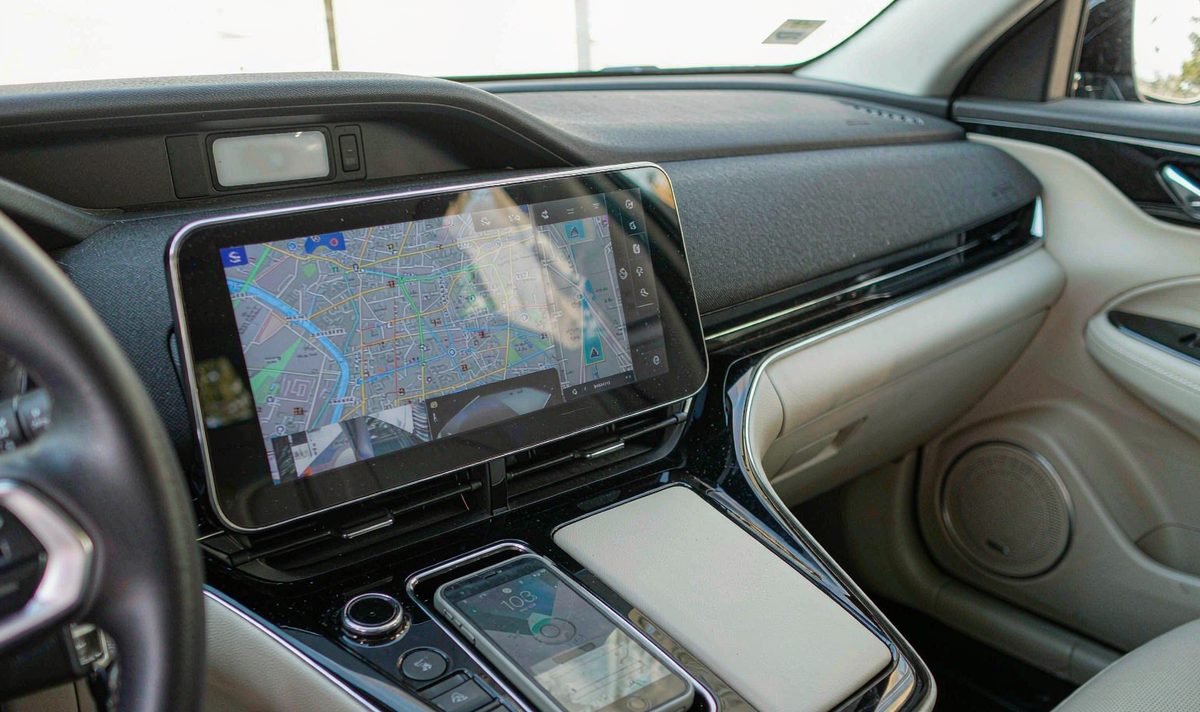
One more thing from the phone side, since it's the fibre that gets blamed constantly: on a wireless session your phone may be in a pocket, so Apple expects the head unit to supply location data from its own GNSS receiver.
Work down the list in order. Each level costs more than the one above it, and the answer at the first level sometimes ends the job outright.
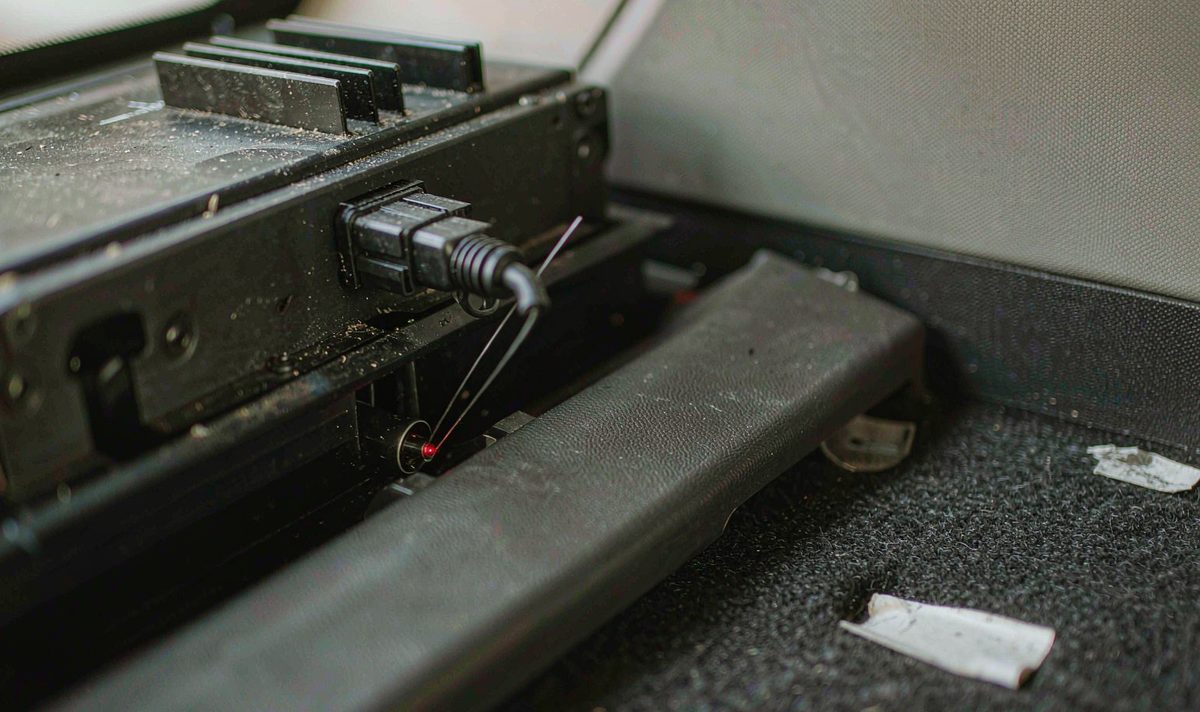
Identify what your car actually has. The build sheet or the original invoice often names the sound system, and if your radio's already out you can look at the connector, where a fibre plug carries two thin fibres and a tiny red light lives in the socket. Photograph that connector before it goes back in, then confirm the factory system still plays, so you know the amplifier was alive before you touched it. Skip that step and you'll spend the afternoon chasing a fault you created.
A ring only works when it's closed. Lift one module out with nothing to take its place and the loop's open, so the remaining modules stop behaving, which is why workshops keep a fibre loop plug on the shelf. On a retrofit there's only one question: does your harness leave the ring closed, or open?
Two things you can check without special tools. Does the amplifier get its wake signal, and is the ring plug still seated? An open ring shows up as no sound, and often as a lost chime. An android car stereo wiring harness adapter that keeps the loop intact is doing real work; one that doesn't is just a bundle of wire.
One phone call at this level saves you a return. You need the generation and the shape of the connector, and on some cars, which module acted as the timing master. A few manufacturers tie audio modules to the car's identity, and a used module from another vehicle sits silent until it's adapted; Audi's Component Protection is the one you hear about most, and the fix wants dealer level software rather than a generic scan tool.
The common mistake at this level is buying the interface before you've confirmed the generation. There are two honest routes rather than one, and they're compared below.
Treat this table as a direction, not a verdict, since each row's got a check you can run before you spend money. Most of what gets blamed turns out to be cheaper than the part in the title, and I hear the first two rows far more often than the rest. Start there.
| What you notice | Where it usually points | How you confirm it |
|---|---|---|
| CarPlay icon stays grey | The phone or the unit's wireless module, not the ring | Plug in with a cable; if wired CarPlay starts, the fibre was never your problem |
| Screen boots, no sound at all | The amplifier never got a valid signal, because the module feeding it left the ring | Look for the optical input on the amplifier and check whether the ring plug is still in the harness |
| Chimes and parking beeps gone | The modules that generated them sat on the ring you just opened | Compare the lost sounds against the modules that used to be on the network |
| One channel dead, the rest fine | A speaker wire or one channel of the amplifier, not the network | Swap the two channels at the amplifier and see whether the fault moves with the wire |
| Plays fine for a while, then mutes | A protection or thermal shutdown, or a marginal connector | Repeat the same test cold and again after twenty minutes of use, and note which one fails |
Find your row, then run the check before you open a shopping page. Neither of the first two costs a penny, and what I see far less often is a screen that genuinely can't do what it was sold to do. Regret usually turns up after the second part's been ordered.
The decision is worth making before your dash is open, because it's awkward to change your mind afterwards.
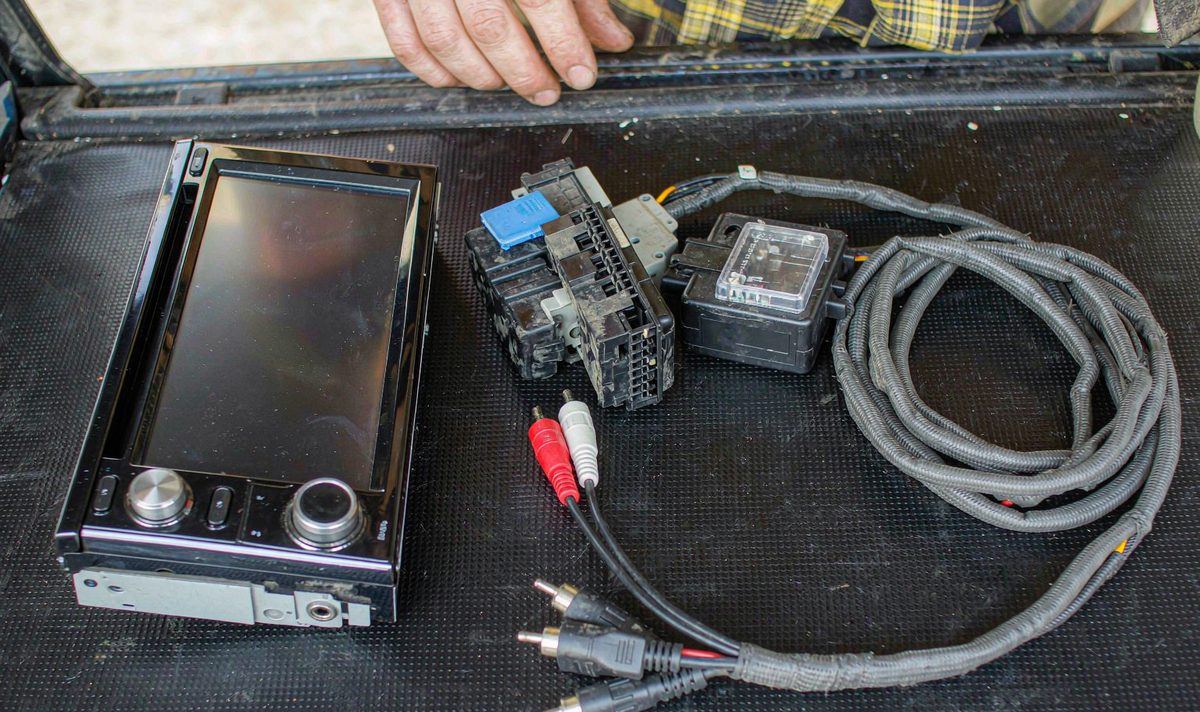
An interface box stands in for the head unit on the ring and feeds the factory amplifier the digital stream it expects, converting your new radio's analog output into that form. You keep the factory speakers, the tuning and the chime path, with no new speaker cable. What you pay for is the interface, and that's the part that has to match your generation and connector.
You take the factory amplifier out of the signal path and drive the speakers from the new unit or a new amplifier, with new wiring. It's predictable, and it doesn't depend on whether a retention part exists for your car. What you give up is the factory processing, and anything that expected the old network to still be there. Bypass is simpler.
My own preference is to keep the factory amplifier when the car came with a branded system and an interface exists for it, because recabling a cabin and retuning it isn't a small job. I'd bypass without hesitation when the factory audio is ordinary, or when no retention part is made for the car.
What I wouldn't do is order an interface off a listing that just says MOST. Generation first, connector second, part number third.
If you're choosing a unit rather than fixing one, the useful questions are how many pre-out channels you need, what level the android head unit external amplifier preamp output runs at, and how that compares with what your amplifier wants. An android car stereo factory amplifier integration is a different order from a plain harness adapter, and the answer moves with the model year.
Send the model year, whether your car is left-hand drive or right-hand drive, the factory sound system and a photo of the connector behind the radio, and the fitment question is settled before you buy. We ship to Australia, North America, Middle East and Europe.
The retrofit range, model by model: universal one and two DIN head units.
On a fibre car, only with an interface that puts a valid digital stream back on the ring and takes the analog output of your new radio. Without one your amplifier receives nothing it recognises, so the screen works and your cabin stays quiet. Whether one exists for your exact car is a model year question, and the connector shape is what catches people out.
No. An ordinary analog amplifier fed by a wake line works with a line output converter, and it's a much cheaper part.
Because the two halves are independent. The picture comes from your phone over Wi-Fi; the sound's supposed to reach the speakers through the factory ring. Removing the head unit took a link out of that ring, so the amplifier that used to receive its music over fibre has nothing coming in. Check the optical input at the amplifier rather than replacing anything.
Start with the model year and the connector shape, then confirm it with the manufacturer's service information or the interface supplier. The plug matters more than the rate, so a photo behind your radio usually settles it in one message.
Zhuhai WITSON Industrial Co., Ltd. - Tel: +86-756-8120312, 8120211, 8120212.
A fibre ring changes which parts a car needs, and it isn't something to guess at from a photo of the dashboard. Tell us the model year and the factory sound system and we will check what fits before you order.
Tell us your car, we will check what fits