Connectivity - the modem inside against the stick outside
Both will keep a map on your screen. The one that keeps it in a dead spot is the one whose antenna went somewhere sensible, and you can often tell which from the spec sheet before you pay.
The question turns up in my inbox about once a week: the listing says 4G, the box says 4G, and the buyer wants to know whether that's a SIM slot in the chassis or a stick on a USB tail.
Fair question, and the ads won't answer it. I've fitted both kinds into the same cars, and what decides whether your navigation survives a trip out of town isn't the modem, it's where the antenna sits and which bands your radio covers.
So let's drop the labels. You've got two routes: a modem soldered inside the unit, or a modem you plug in. Each solves a different problem, and choosing wrong is a tedious way to lose a Saturday.
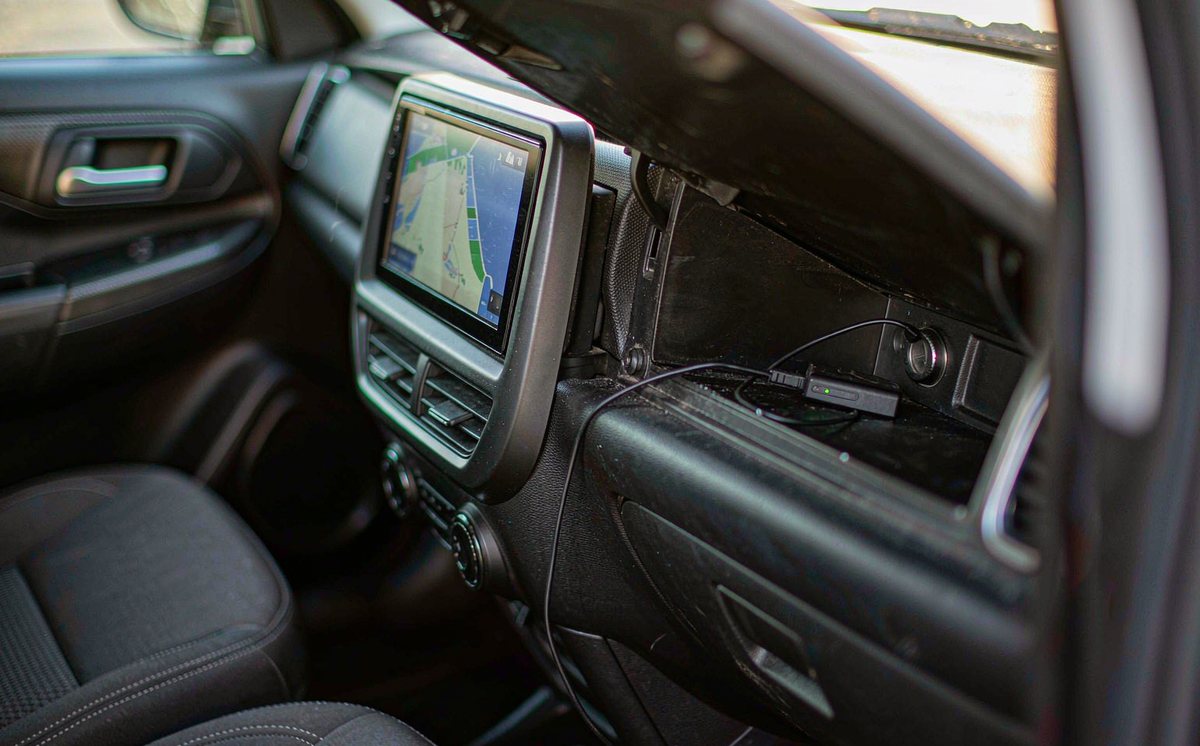
Open the case on a unit sold as built-in and you'll find a small modem board, a SIM slot on the chassis or behind a flap, and a thin coax running to an antenna socket. Its own Android build talks to that modem directly, which is why you get signal bars in the status bar and a mobile network page in settings.
A dongle is the same radio in a plastic stick. Your unit sees a USB network device, and that only works if the firmware carries the driver and a data service that can bring the link up.
That's the whole difference in one line, and what follows is the consequences: where your SIM lives, where the antenna goes, who supplies the current, and what the firmware was tested with. The phrase android head unit with 4G SIM card slot tells you the first part and nothing else.
Half an hour with no tools settles this, in this order, because the first check can save you the price of the hardware.
Turn on your hotspot and connect the unit. If maps load, your Wi-Fi and navigation are fine.
Settings, then network. A mobile network or Ethernet entry means the firmware expects a modem. If that page isn't there, a dongle probably won't work, and you've just saved yourself some money.
Plug it into the unit in a car park: it's detected in thirty seconds or it isn't, which beats every claim in a listing.
Note which USB port you'd give up: the front one often shares a hub with the camera.
No second cable, no adapter, nothing where your passenger's knee goes. The harness was built around that load.
The APN page belongs to your unit and the data toggle sits in the status bar, with no app to lose after an update.
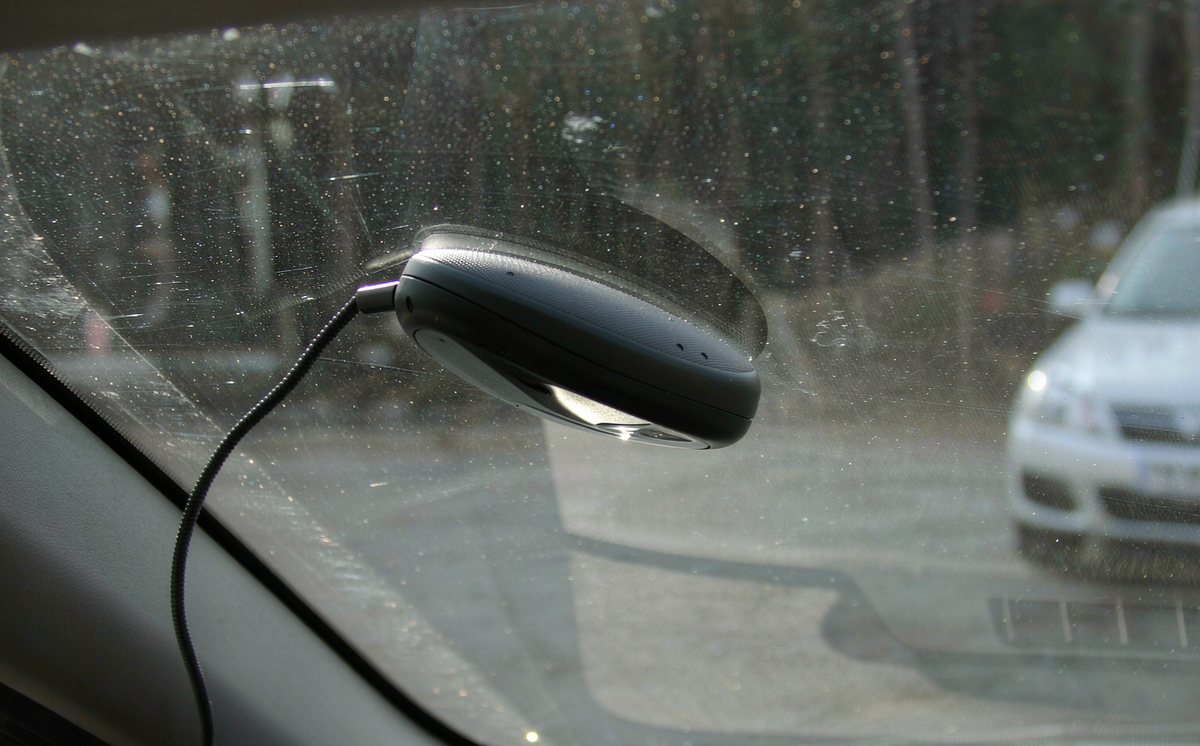
The modem sits in a metal cage, so the antenna has to be led out to glass, which pushes the design the right way if the job gets finished.
The trade is fixed hardware: bands are decided when you buy, and getting at the SIM on some models means pulling the unit out, which is silly for a swap you might do twice a year.
Move country or carrier, or find your new SIM sits on an ignored band. Awkward, but you swap the stick, not the head unit.
A USB extension lets you move the stick up near the glass. It's ugly, but it holds a link where one buried behind the dash drops it.
If you're doing a retrofit android head unit for older car job with no SIM slot, the dongle is your way in without a second unit.
Now the costs: a USB 2.0 port is rated at 500 mA at 5 V, and an LTE stick under load can ask for more. Add a thin two-metre extension and the voltage sags, the modem browns out, and your link drops every few minutes, which gets misdiagnosed as a network fault.
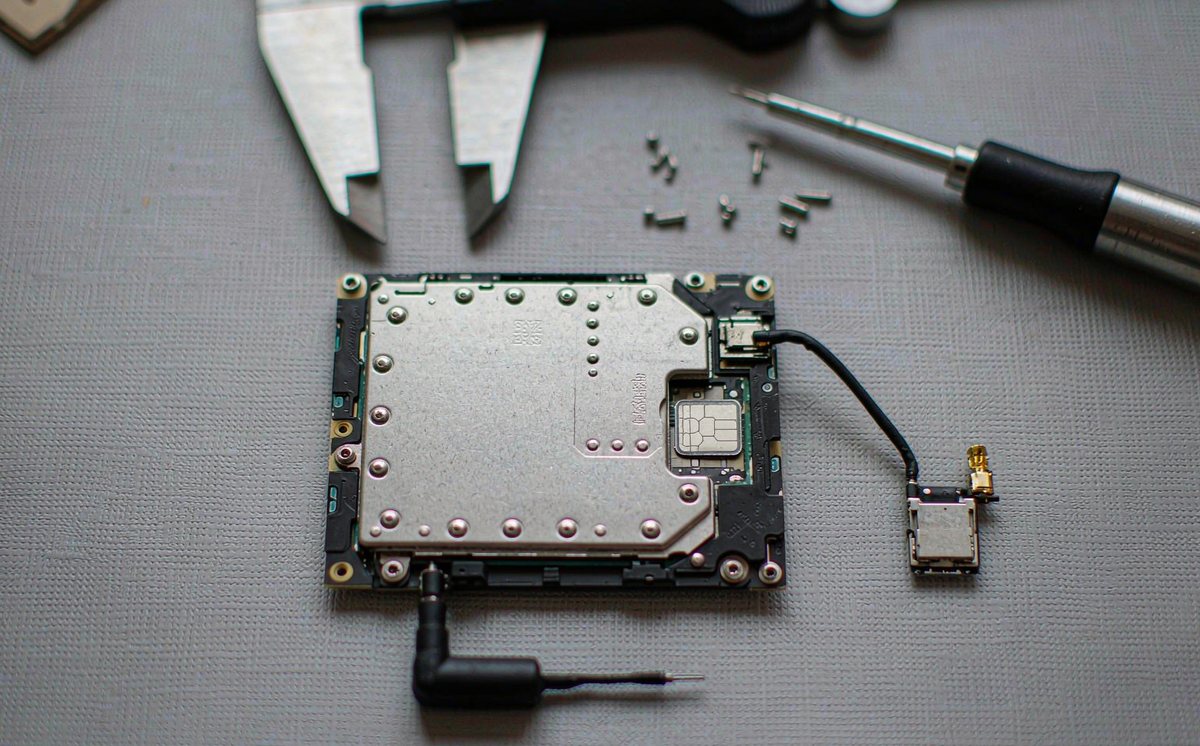
Two modems of the same generation, fed by different antennas, behave like different products. In our experience the antenna decides this far more than the modem does, and it's the part the listings leave out.
Route the coax behind the A-pillar trim and keep it clear of the airbag seam, because a cable laid across an airbag cover turns a safety device into a projectile.
LTE band numbers aren't marketing; they're which slice of spectrum your carrier uses, and they change by region. Band 20 at 800 MHz carries a lot of European coverage, band 28 does similar work in Australia, and North America leans on 2, 4, 12 and 13. A modem missing the low band your area depends on shows a cheerful signal in town and nothing twenty kilometres out.
I've found a listing offering bands 1, 3, 7 and 38 only is a city modem: fine inside the ring road, frustrating the first weekend out.
For android car radio navigation while driving, a stable link beats a fast one. Maps cache tiles and need a trickle, so a slow link that holds beats a fast one that keeps dropping.
Work down this list and don't jump. What I see most often is a second dongle bought before the first SIM was checked.
Re-seat the SIM, confirm your APN character by character, and power-cycle the unit, not the screen. Then try the dongle in a laptop: if it won't connect there either, the fault went with the stick.
Move the dongle to another USB port, then drop the extension and plug it in direct. If it only works on the short cable, you've found a voltage drop, not a modem fault.
Check the bands against your carrier's coverage, check the modem's mode, because some enumerate as storage until switched, and check whether your firmware lists that dongle at all. An email with both model numbers saves a week.
Only now does a purchase make sense, and it should be a dongle your firmware names, or a unit with the modem inside. Anything else is a guess.
Sort what you're seeing before you reach for a part.
Bars appear, maps load in town, then the link dies on the open road and returns near the next town.
A band mismatch or a poor antenna spot, so only the stronger cells hold.
Phone hotspot for the trip, plus moving the antenna to clear glass. Both reversible.
A modem covering your low band, antenna on glass, coax clear of the pillar seam.
Ask these in writing. A seller who answers all four has tested it; one who answers with adjectives hasn't.
If your wiring and your antenna are sorted and the link still drops, the limit is inside the hardware, because our units carry the modem on the board with the antenna led out to glass. See the range we build here if you want to compare the modem side of it.
Not sure which one your unit will take? Send us the unit model and the dongle model, and we'll check what the firmware supports before you buy either.
Ask our support desk01Can I use a normal phone SIM in a car head unit?
Yes, usually, if the size fits and your plan allows data. You'll need your carrier's APN, and data-only is cheaper than sharing a phone tariff. Check it isn't PIN-locked, because a locked SIM in a unit with no keypad is a dead end.
02How do I know if my unit supports a USB 4G dongle?
Look for a mobile network or Ethernet page in settings. If it isn't there, your firmware probably has no data service.
03Why does my 4G dongle disconnect when the engine starts?
Cranking pulls battery voltage down for a moment, and a port near its current limit drops the modem. A shorter cable and a port that isn't shared with a camera usually settles it. If it doesn't, your port is the limit.
04Is a built-in module faster than a USB dongle?
Not by being built in. Both are LTE modems in the same class; what separates them is band coverage and antenna placement. That's why a cheap dongle on glass can beat a pricey module under your dash.