Phone projection / when the tile looks alive and does nothing
The tile is there, dim, and your finger does nothing. Nearly always the phone is fine and the screen is fine - the two just have not finished introducing themselves, and one of three links in the chain is missing.
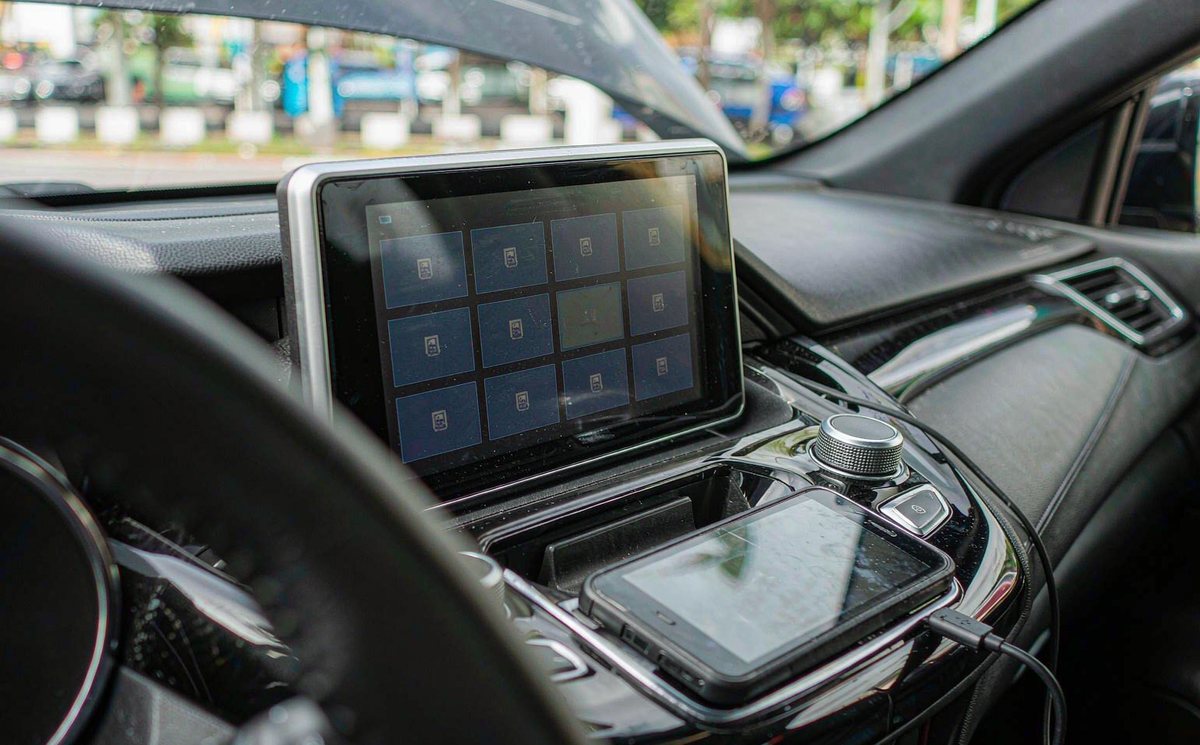
The same photograph reaches me from Europe and Australia regularly: a centre dash with the Android Auto tile in grey, a phone face up on your console, cable in, and a caption saying it worked last month. Nobody touched the car, which is what makes it maddening.
Two grey icons are involved, and they don't belong to the same owner. On the phone, the Android Auto entry going dim is normal on current builds, because projection lives inside the system now rather than in the app drawer. On the dash, a grey tile means the unit has no session to hand over.
Ask one question before you plug anything in. Is the tile dim already, or does it dim the moment the cable goes in? Dim from boot means it never spoke to a phone; dim after the cable means a session started and died.
The chain looks like this on paper, and it's worth keeping in your head while you test:
Read it left to right, because that's the order you test in. The phone needs to be recent enough and allowed to project, the link has to carry data rather than current, and the receiver on the unit needs to be running. Break one link and the tile greys, and it looks the same whichever one broke, which is annoying, because guessing costs more than measuring.
Four kinds of grey turn up in practice, and you'll want your row before you spend anything.
| What you see | Who owns it | What it usually means |
|---|---|---|
| Dim from the moment the unit boots | The unit | The projection service is off, disabled or not licensed |
| Dim only after the cable goes in | The link | A handshake started and dropped - cable, socket or voltage |
| Dim on the phone as well as the dash | The phone | Version, edition or regional rule on the phone side |
| Opens for two seconds, then closes | The session | Receiver starts and the phone refuses the session |
That last row is the one you'll misread as a hardware fault. A tile that opens for two seconds proves the hardware works; what failed is the negotiation.
One more thing about the phone icon, because it wastes evenings. On Android 10 and newer there may be no Android Auto app in the drawer at all, and Google's own guidance says not to read that as the end of support. What I see again and again: owners reinstalling apps for an hour over a screen that was fine.
Start here, in this order, because the order is what keeps you from buying a cable you didn't need.
The version floor is where a lot of these stories start, and it moved recently. Google's help page now lists Android 11 as the minimum for a wired connection, while the marketing page still quotes Android 9. If your phone is on 9 or 10, read the version line first.
Two exclusions are worth a look. Android Go edition phones aren't supported, whatever version number they carry, and projection isn't offered in every market, so a phone from one region can show its own message saying so.
There's also a permission prompt people miss, because it appears on the phone while they're staring at the car. The first time a unit connects, Android asks whether to allow the session, and if nobody taps Allow it times out and your tile greys again. I've watched that cost twenty minutes.
If it stays grey after a known-good phone and cable, stop testing and start taking your dash apart.
A USB link is a negotiation, not a wire with power on it. Phone and unit agree on a role, a speed and a current budget before any picture moves, and a marginal link fails that conversation rather than the video, which is frustrating when every part looks fine.
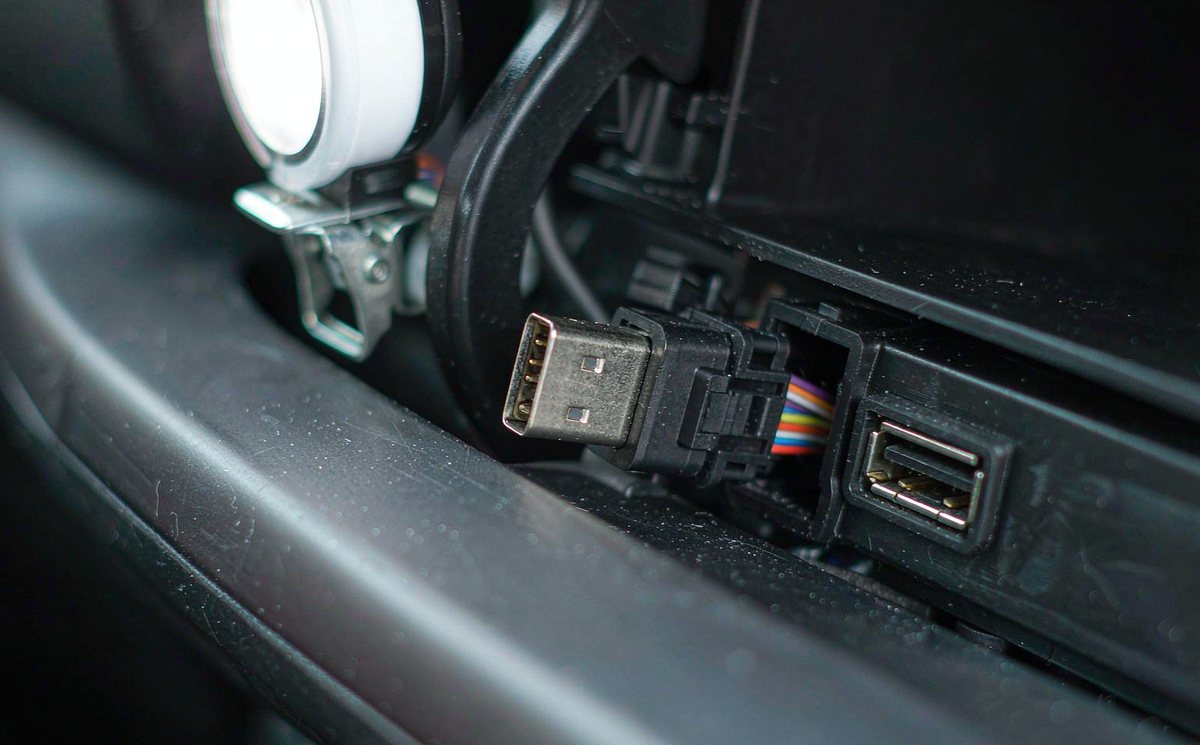
Google's own advice is a cable under a metre, no hub and no extension, which tells you how often length is the problem. On a dash mount that's inconvenient, so you run a three-foot extension and then wonder why it drops on a rough road.
Then check which socket you're using. Some consoles carry a charge-only port fed from a separate five-volt line, and no amount of menu work will make it carry data for your phone; the give-away is a charging symbol with no prompt.
Behind the unit, your USB pigtail has its own five-volt and ground. A ground shared with a noisy circuit, or a pigtail spliced into the wrong pair, gives you a link that keeps falling over, and on a retrofit android head unit for older car installation there's often no factory socket to reuse.
While the trim is off, check the plug that joins unit to car. An android car stereo wiring harness adapter is fine as a mechanical part, but it doesn't decide which pin carries data; that takes a meter and the pinout, not a listing photo.
Last item in this layer, and it catches people on right-hand drive cars. The console is mirrored, so the socket and the trim clips sit on the opposite side to the guide you're following. Confirm whether your car is left-hand drive (LHD) or right-hand drive (RHD) before you lever anything, because the panel that pops off in one car cracks in the other.
If the link is good and the tile is still grey, the problem has moved inside the unit. Three things decide whether a session can start, and you can't see any of them from the driver's seat.
The tile you tap is usually not Google's app but a projection receiver supplied with the unit, and its version matters as much as the phone's. When a phone update changes the negotiation, an older receiver can stop completing the handshake and your tile greys with no message, so ask the seller which version it carries.
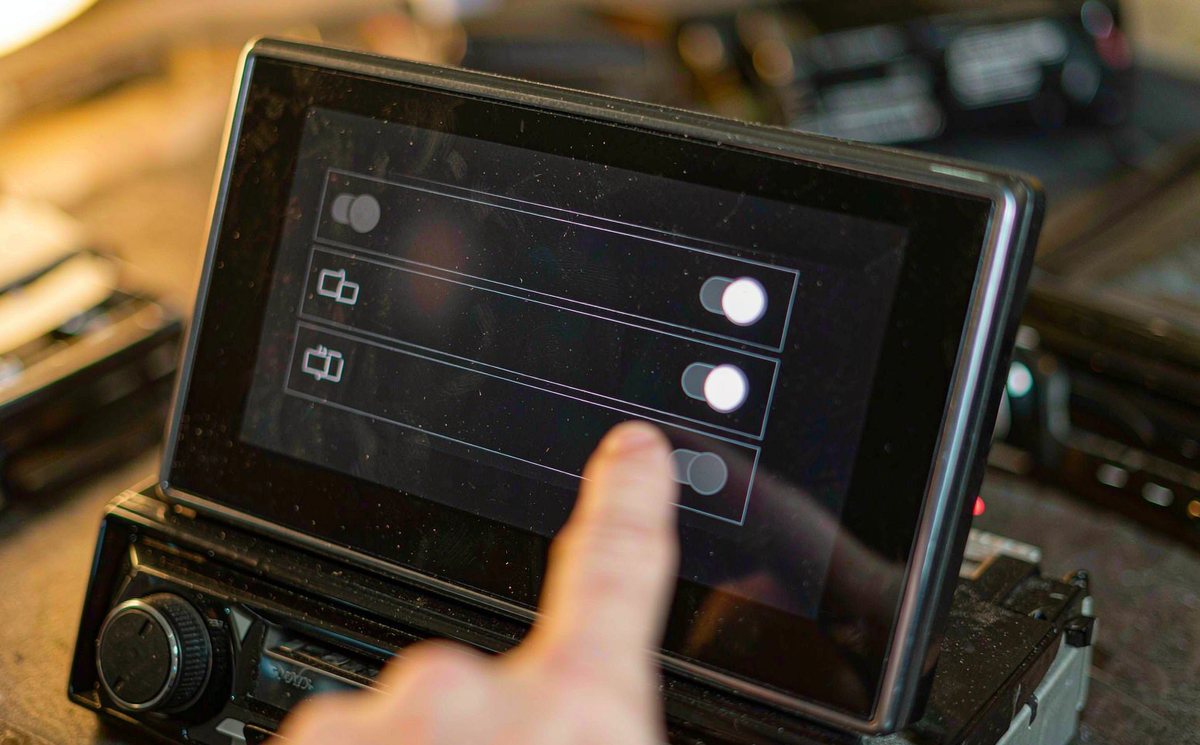
Most units expose a projection channel in the factory menu, sometimes one switch for CarPlay and another for Android Auto. A unit can ship with the second channel off while the tile still shows, dim, because the launcher draws it whether or not the service runs; that switch is what I check first now.
Some receivers are licensed to the unit, and a firmware reflash can wipe the licence and leave the icon in place. The symptom is a tile that's dim from boot with nothing happening on your phone, so if the unit was updated just before the trouble, that timing is the clue.
Climate, steering buttons, door chimes and illumination travel on the vehicle bus, and projection never touches that traffic. The android head unit CAN bus decoder box can be dead while the tile still works, and a healthy one cannot rescue a grey tile.
I find the spec sheet worth reading before blaming age. A slow processor still projects, but a port that's host-capable and current-limited will drop your phone when it asks for more than it can give.
The whole thing on one page. Read the first column as what you see, not what's wrong.
| What you see | Cause it points to | Stopgap | Real fix |
|---|---|---|---|
| Grey, phone silent | Charge-only cable or socket | Borrow a known data cable | Short data-rated cable, correct socket |
| Grey, phone charging | No data pair in that port | Move to the other socket | Re-pin the pigtail to the host port |
| Connects, drops after a minute | Voltage drop on a long run | Remove the extension | Shorter run, proper gauge |
| Grey from boot, always | Channel off, or licence lost | None worth doing | Switch the channel on, restore activation |
| Grey only once moving | Phone-side driving rule | None needed | Nothing to fix - it is by design |
The last two columns are a decision, not a shopping list. A stopgap gets you home tonight; the real fix ends the conversation.
That last row confuses newcomers. Android auto restrictions while driving are enforced by the phone, not by the radio you bought: some functions lock in motion and the interface dims on purpose, so a tile that only misbehaves once you pull away is showing you a rule, not a fault.
When the checks are done and the unit is still the limit, buying is the honest answer. Ask three questions before you pay. Which channels does it support - wired, wireless, or both? What receiver version does it carry, and has it been updated for current phones? A seller who answers all three is selling a different class of product.
The rest is fitment for your car. WITSON publishes what each model supports, and support will confirm the channels for a specific unit. The product range lists the models we build, and that confirmation is worth having: one housing can carry two different boards.
Send us the model year, whether the car is left-hand or right-hand drive, the version line from your phone and a photo of the centre console. We will tell you which projection channel your unit carries and what to test next.
Tell us your car, we will check what fits01Can I add Android Auto to a unit that only lists CarPlay?
Only if the receiver inside your unit handles it. The tile is drawn by the launcher, so it can appear on a unit whose projection service runs one protocol and not the other. Ask the seller which channels your model carries, and treat a forum firmware file as unverified.
02Why does the tile grey out as soon as I start driving?
The phone locks parts of the interface in motion. Park with the handbrake on; if your tile stays dim at a standstill, the cause is above that rule.
03Do I need the Android Auto app on my phone?
On Android 10 and newer, projection is built into the system and the app may not appear at all; on older versions it came from the Play Store. A missing icon isn't a sign that support has ended, and reinstalling something that's no longer separate won't help.
04Is a shorter cable really enough to fix a greyed icon?
Sometimes, and only when the fault is a marginal link. It won't fix a version mismatch, a channel that's switched off, or a phone below the current floor. Test it because it's free, not because it's likely.