
Car cameras - buying guide
Dynamic lines are a data problem long before they're a camera problem. Something on your car needs to know where the front wheels point, and whatever draws the curves needs your wheelbase and track. Miss either one and the lines sit still, or bend to the wrong side, and extra resolution won't put them right. Read your head unit's camera spec first.
A reversing picture with straight, fixed lines is a photograph with a drawing on top. Those lines never move because nothing's watching the steering wheel. Dynamic lines bend as you turn, so the curves show where the tail of your car is heading rather than where it happens to point right now.
The clearest description of how that comes together isn't a camera listing. It's Volkswagen's self-study programme for their reversing camera: the camera is one part, a control unit processes the image, straightens the lens distortion and adds the helper lines, and a steering angle sender feeds the data that moves them.
| Line | What it marks |
|---|---|
| Red, static | The 0.4 m line behind the vehicle |
| Green, static | The vehicle outline widened by 25 cm on each side |
| Yellow, dynamic | The current steering angle |
One maker's convention, not an industry colour code. Your own car may paint those same three jobs in different colours.
The control unit rectifies the camera image, adds the helper lines, and draws the moving pair from the steering angle sender.
Summary of the reversing camera system described in Volkswagen self-study programme 407.
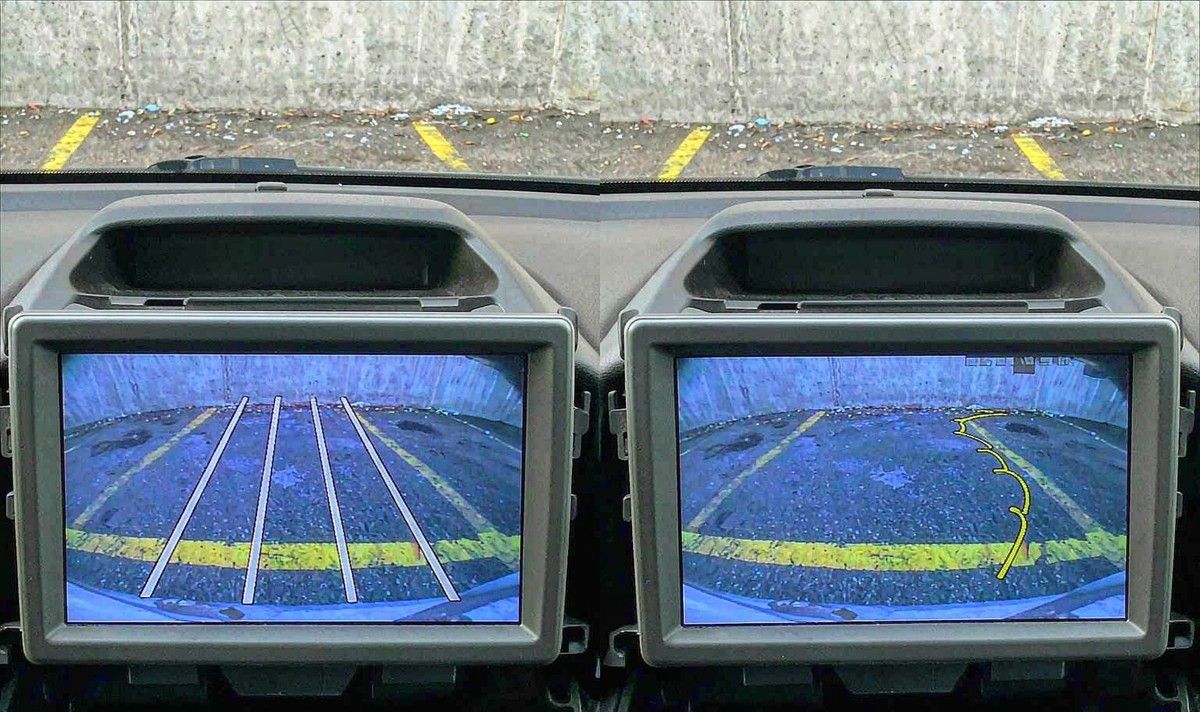
That's why a camera on its own is never the whole feature: if nothing on your car knows the steering angle, and nothing's been given your car's measurements, swapping the lens won't change how the curves behave. It's also where most shopping goes wrong. The question people ask is about the camera; the one that pays is who, on this car, is going to draw your lines.
Three places can put an overlay on the reversing picture, and which one you've got decides what you buy.
Some cameras carry a chip that draws the curves in the box, which is why they cost more than a plain lens. Those units expect a motion source, so what's in the box matters as much as the glass.
Plenty of decks paint guide lines over any clean video input, and some bend them when they receive steering data themselves. There a plain camera is the right purchase, and one with its own lines just adds a second overlay.
If your car already had factory parking lines, the overlay belongs to the car and is calibrated to its own camera position. Changing the camera underneath leaves those lines reading a position that's gone.
Two sets of lines on one screen is real, and genuinely annoying. I hear this one a lot, and it's the common mistake: nobody checks who paints the lines before buying. It's why a camera advertising dynamic guidelines can look worse than a cheap one. You end up with four curves that disagree, and no menu explains which pair to believe. If that's what you're staring at, you haven't done anything wrong.
So read the deck first. Listing an android head unit with reverse camera input tells you a socket exists; it doesn't tell you who paints the lines. Look for a guide line or trajectory entry in the camera settings; if the deck offers one, buying those curves twice just buys a conflict.
Where does the steering data come from on a retrofit job? On a car whose stability system already broadcasts a steering angle, a protocol box can read it off the bus, so the lines follow real wheel position rather than guesswork. Matching a car's protocol and pinout to the data a unit expects is where WITSON spends a lot of its engineering time, and it never shows up on a spec sheet. It's also the difference between curves that track and curves that twitch.
Before resolution or night vision: the camera's video signal and the display's input need to be the same family. Analogue reversing video isn't one standard. Composite video still runs plenty of older screens; AHD carries high definition down similar copper at 720p or 1080p; and many cameras now ship multi-mode.
When the two ends disagree, the result usually isn't a soft picture. It's nothing at all, or a rolling, wrong-coloured mess that looks like a dead camera. The camera is the usual suspect, and a frustrating afternoon ends with you sending back a good unit.
The check is short. Open the deck's camera or reversing settings and read what's offered. If it lets you pick between CVBS and AHD, note which one your camera outputs. If there's no such option, treat your deck as composite and buy to that.
Our own camera pages put the raw numbers in the spec block: the model we list with dynamic trajectory lines is a CCD unit on an NTSC video system, and the AHD models in the same category are listed at 1280x720P and 1280x1080P. Read those two lines before ordering; the range is under our car camera category.
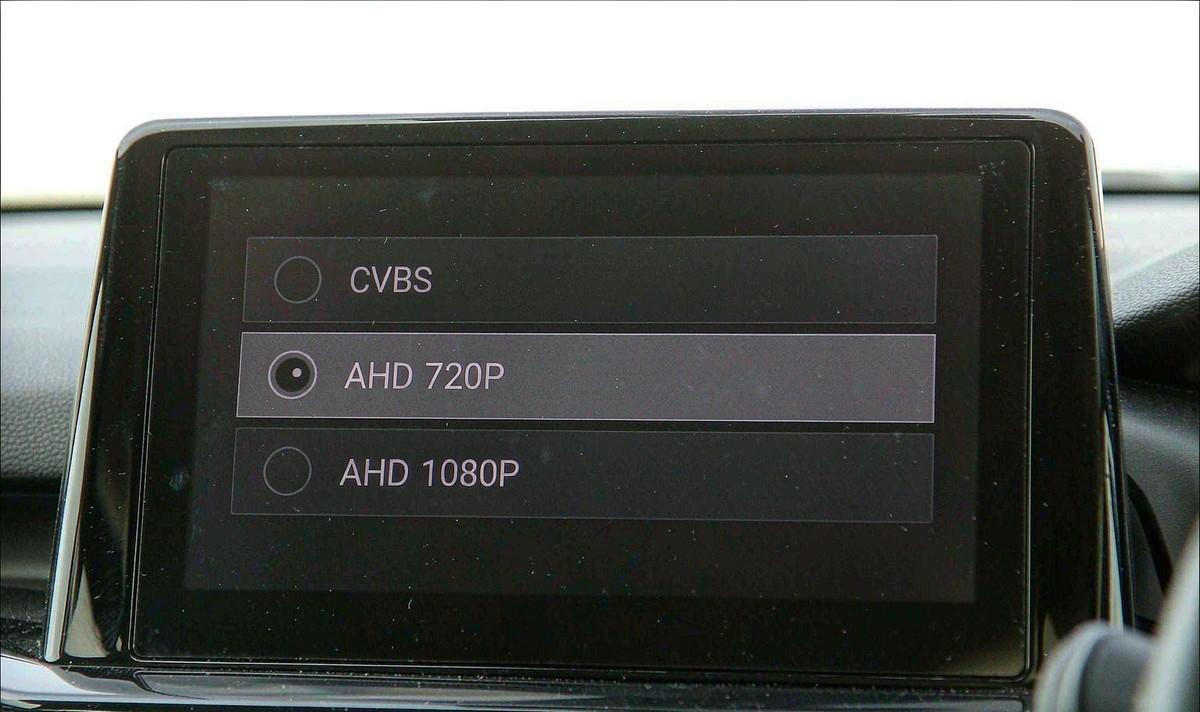
Note what that means for shopping order: a camera that's better on paper is the wrong camera if the deck can't decode it, so compare resolution last, not first.
One more thing before the lens talk: a multi-mode unit is only useful if the switching is documented. Cutting a wire to change mode is a decision you make at the bench, with the sheet in front of you, not behind your trim.
Three things travel to the back of the car, and only one of them is the picture. The camera wants a supply, usually tapped from the reversing lamp. It wants a ground. And the deck wants a trigger that tells it to switch over the moment you've selected reverse.
The trap is that a lamp which lights up perfectly can still be a poor supply. Modern cars dim, pulse or switch their reversing lamps through a control module rather than a plain switch, and a camera fed from that line can arrive late or flicker while the bulb looks fine. If your picture is late, unstable or absent, test the supply and the trigger first.
This is where I stop telling people to improvise. Checking a supply, confirming a trigger and following an android head unit reverse camera wiring diagram properly is a short job with the right sheet in hand and a tedious one without it. In our experience, hand the shop the diagram for your model rather than a photo of a plug, and ask them to confirm the trigger at the deck end.
On a retrofit android head unit for older car build, the trigger is the pattern I see most, because the camera and the switching wire usually arrived in the same box and went in on the same afternoon.
If recording matters as well as reversing, say so before you buy. An android head unit front and rear camera recording setup uses a different input arrangement from a single reverse camera, and adding it later means opening your dash a second time.
Here's the sequence that keeps the money in your pocket, and it starts with your car rather than a camera listing.
Find the camera or reversing menu. Note the input label, the signal options it lists, and whether it offers guide lines of its own.
Buy a camera whose output matches that menu, with a connector that reaches your deck and, where the menu names one, the same television system.
Park on flat ground, put a box where the far line touches down, then step out and look. A line pointing at the box is honest.
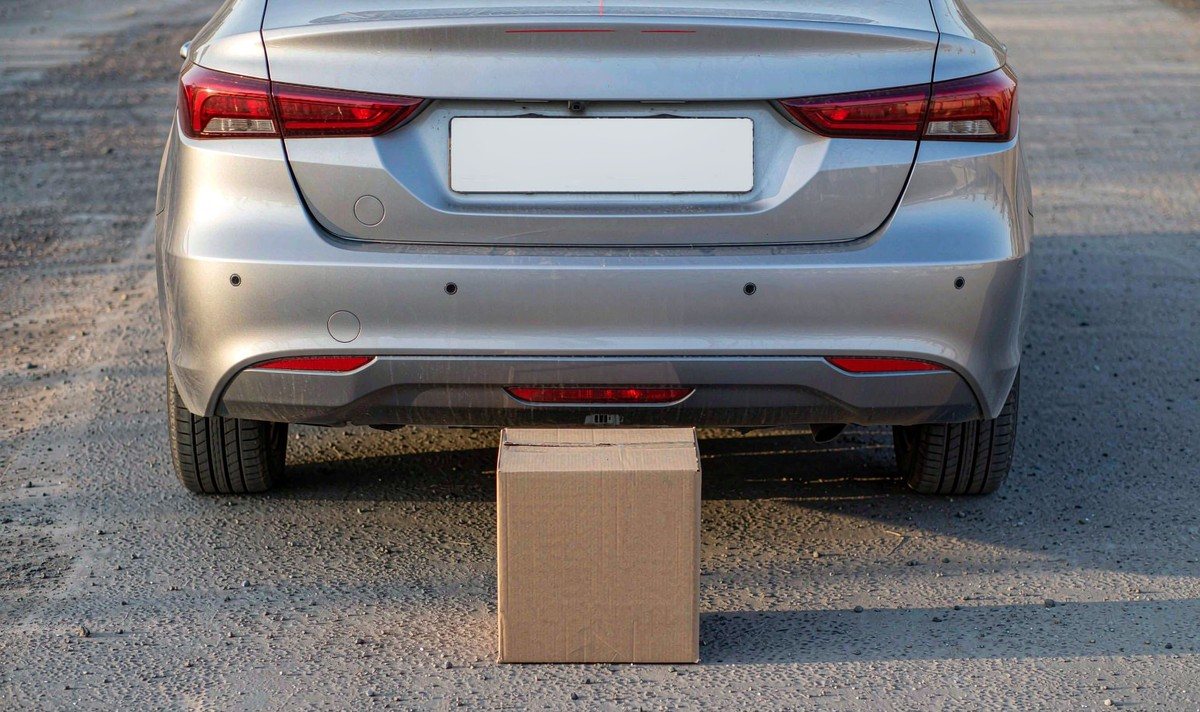
That third step is the one people skip, and it costs nothing. It's also the silly part of shopping for these cameras: the curves are the one thing you can't check from a listing.
Calibration is where factory and aftermarket part company. The same Volkswagen document notes that calibration is needed after the camera, the lid handle or the control unit is replaced, because the overlay is only correct for one mounting position. So before you buy, ask one question: can the trajectory be adjusted for your car, or is it fixed at the factory? If there's no setup entry anywhere in the chain, the curves are whatever numbers went in at the bench - and on your car's different wheelbase they can sit well off the real path.
Then the lens number. A wide angle shows more of the car park, and on a big vehicle that width is real. It doesn't make the lines more accurate, and the wider the lens the more the far field is squeezed, so the last metre of your picture is where the error hides. The same document lists its camera at 130 degrees horizontal by 100 vertical - a hint at what the people who calibrate these things pick.
So I'd take a modest, well matched camera with lines I've tested over a wide cheap one with curves nobody set up. What I'd walk away from is a listing that promises moving lines without saying where the motion data comes from on your car. Something has to supply it, and something needs your wheelbase. If a seller can't name either, that's your answer.
It depends which end was drawing them. If the curves came from the deck, a deck-side setting changes them. If they came from the camera's own chip, they stay as they are, because a plain camera has nothing to draw with.
Both ends are drawing. Turn the overlay off in the deck's camera settings and keep the pair that moves.
Sometimes. It hangs on whether your car broadcasts a steering angle anything can read, and whether the curves come from the camera or the deck. Ask the seller to name the data source for your exact model.
For seeing more beside your bumper, yes. For trusting the far end of the lines, the wider lens is the harder one to get right - which is what the marker test in step three is for.
