
Car audio - daily use
The file never arrives over Bluetooth. Your phone decodes the Lossless stream, then re-encodes it into whatever the car link can carry, so the ceiling is set by the codec your phone and your radio agree on rather than by the tier you pay for. Distortion usually starts somewhere else: one stage in the chain being pushed past what it can take.
Spotify's Lossless tier streams FLAC at up to 24-bit/44.1 kHz, and it comes with Premium rather than as a separate plan. You switch it on in the app: profile icon, Settings and privacy, Media quality, where Wi-Fi, cellular and downloads each get their own row. That part takes ten seconds.
Then the music leaves the phone. Bluetooth doesn't carry enough bandwidth for a lossless stream, so the phone decodes the file and encodes it again for the link. Spotify say as much in their launch notes and point listeners at a wired or Wi-Fi connection instead. The numbers show the gap: FLAC at that rate runs around 1.4 Mbps, while the A2DP link a car radio uses sits between 328 kbps on baseline SBC and 990 kbps on LDAC when conditions are good.
So the ceiling isn't the tier you pay for. It's the android car stereo bluetooth audio codec your phone and radio settle on when they connect. Your subscription, the app's quality flag and the phone's audio hardware are decided behind that codec, not in front of it.
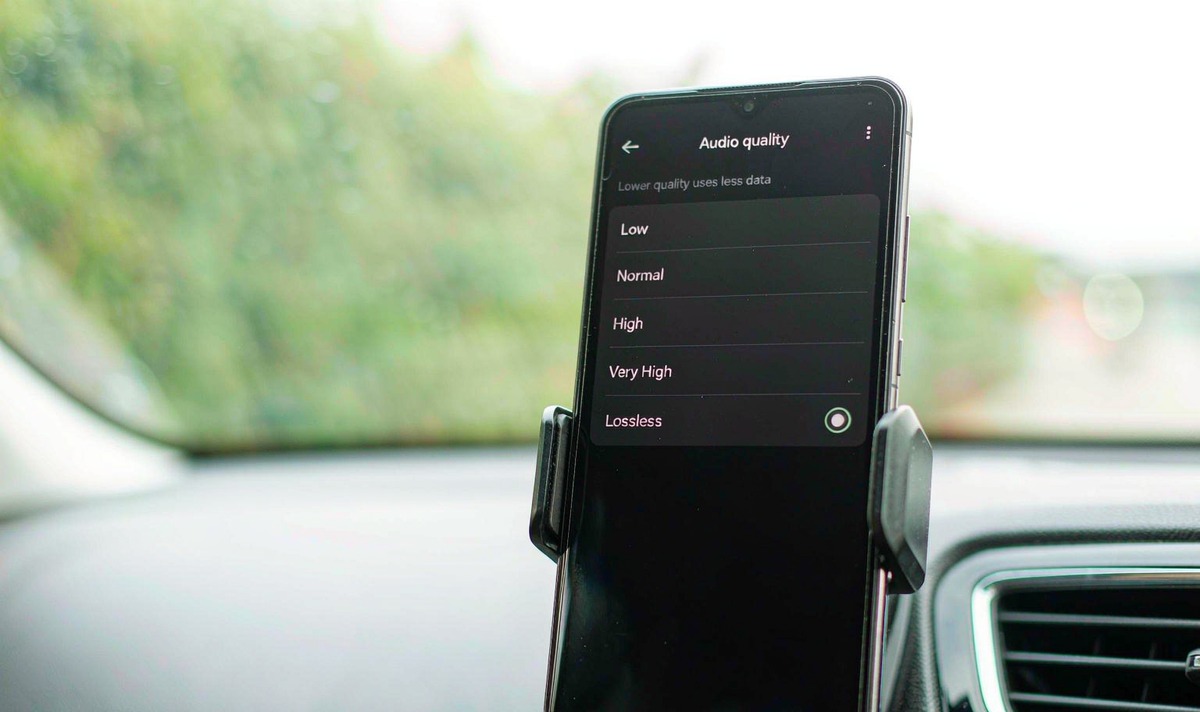
You can't push a lossless file through a codec that can't carry it, and that's the frustrating part - you paid for the file and the link quietly rewrites it. What you can do is find out which codec you're really on, then take the distortion out of everything after it.
You never pick the codec from a menu on the radio. Android negotiates it at connection time: the stack checks what the receiving device supports, picks the strongest codec both ends can run, then routes audio through that encoder. Android 8.0 added AAC, aptX, aptX HD and LDAC alongside SBC, and makers can change the order their builds try. In a car the receiving end is the radio in your dash, and it gets a vote.
That's why a flagship phone can sound ordinary on a retrofit unit. If the head unit's chip carries SBC and little else, SBC is your link and a new phone won't change it. Plenty of retrofit radios list Bluetooth as one line on the spec sheet with no codec detail at all, which leaves you making the awkward assumption that you get the baseline. Ask in writing, with the model number attached: android head unit bluetooth codec support is a per-model answer, and what I see most often is a good phone paired to a cheap chip.
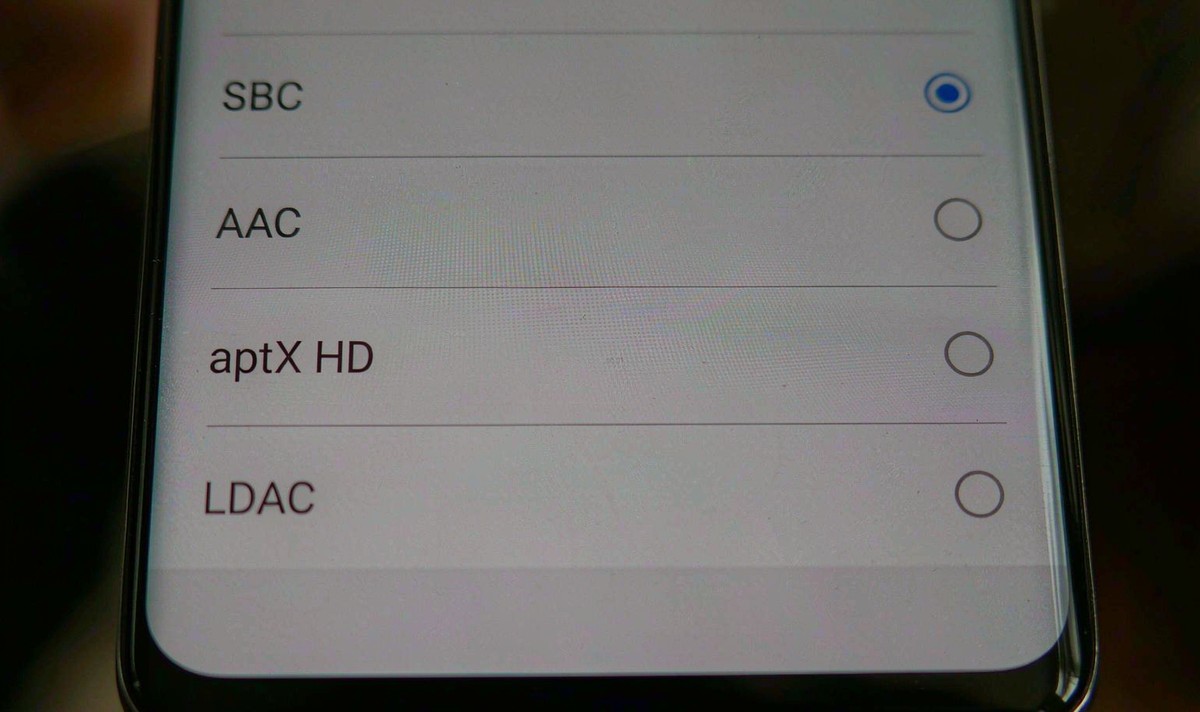
You can see what the pair of them share. Turn on Developer options on your phone, open Bluetooth audio codec, and the menu lists what both ends support with the active one marked. If LDAC isn't in that list, the car side doesn't offer it. One wrinkle: on LDAC the top bitrate is also the least tolerant of a poor link, and the connection steps down toward 660 or 330 kbps when reception suffers.
| Codec | Typical top bitrate | What it needs | Note |
|---|---|---|---|
| SBC | about 328-345 kbps | Both ends; present on any A2DP device | The baseline every Bluetooth audio device carries |
| AAC | around 250-320 kbps | Both ends | Tuned tightly on Apple gear; encoder quality varies on Android |
| aptX / aptX HD | 352-384 / 576 kbps | Both ends, Qualcomm silicon | aptX HD carries 24-bit at 48 kHz |
| LDAC | 330 / 660 / 990 kbps | Both ends, Android 8.0 or newer on the source | Steps down when the connection struggles |
| aptX Lossless | beyond 1 Mbps | Both ends, Qualcomm Snapdragon Sound | Qualcomm's lossless-over-Bluetooth mode, uncommon in car radios |
Notice which row is missing from most dashboards: the one that would carry the FLAC.
Before you blame the link, get the source side straight. So which settings actually move the needle? Five of them, and only the first is about quality.
Then test it the way you'd test anything else in the car: same track, same radio volume, one pass on Bluetooth and one on a cable. If the cabled pass is cleaner, you've found your ceiling.
While you're in there, check what the app is actually fetching. Spotify shows a Lossless indicator in the now-playing view when a track arrives that way, and with android car stereo spotify lossless playback that badge is the first thing I check.
Here's the split I'd make first, because it saves pointless shopping. Stutter and dropouts are link faults: interference, distance, a bitrate the connection can't hold. Distortion - harsh, crackly, that fuzzy edge on vocals - is a level fault. Something is being pushed past what it can handle.
Four places to look, cheapest first.
One test settles it inside a minute, and I'd run it before buying anything: same track, same radio volume, phone on Bluetooth and then on a cable. Cable clean with Bluetooth harsh points at the codec or the path into it in your car. Both harsh means the fault sits inside the car's audio chain, and no subscription tier repairs that.
The common mistake runs the other way, and I hear it constantly: someone reads that lossless can't cross Bluetooth, drops the app back to 320 kbps, and still wonders why the stock system sounds thin. Where a head unit's preamp output feeds a separate amplifier, the gain staging between those two boxes shapes what you hear far more than the codec does.
So if you want the file to arrive as the file, what's left? A different road.
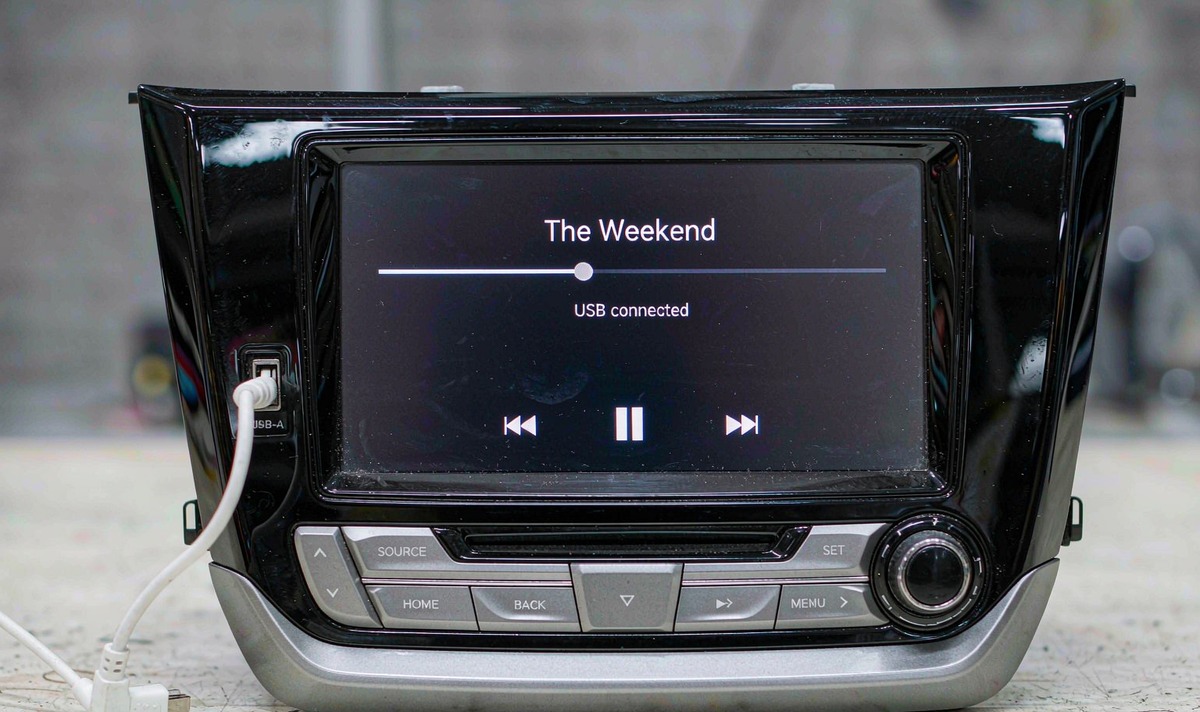
Two honest limits. A cable or Wi-Fi path removes the Bluetooth codec; it doesn't upgrade the amplifier or the speakers. And whether a deck's app build offers the Lossless tier is a question about that build, so verify it on your unit.
In order, here's what I'd do with my own money: fix the gain staging, because it's free; then try the cable. If the cable sounds the same as Bluetooth, you've run out of problems to solve.
Everything here applies to retrofit Android decks and factory systems alike. The family that covers most of these installs on our side is the universal one and two DIN head units. Codec support varies by model and by the module fitted inside, so in our experience it's worth treating the codec list as a per-model question rather than a category one.
Spec sheets tell you very little about audio. If you'd rather see how these decks behave once they're wired into a car, the showcase is the faster way to judge one.
Watch these units runningZhuhai WITSON Industrial Co., Ltd. - Tel: +86-756-8120312, 8120211, 8120212.
Because the same chain is being asked for more headroom. A lossless stream can carry bigger peaks, and a tone stage or amplifier that was already near its limit runs out of room earlier. Flatten the tone controls, pull the phone volume back, then compare again before you blame the tier.
Developer options has a codec menu, but it only lists codecs the connected radio also supports.
Usually not on its own. The extra detail shows up on wired headphones or in a quiet room, while a car on a baseline Bluetooth link puts a codec ceiling well below the size of the file.
Only where it changes the codec. A unit that supports a higher-bitrate codec raises the ceiling; one that doesn't raises nothing, and a bigger screen or a faster processor has no say in what the Bluetooth chip offers.
The app's quality setting decides what your phone fetches, and the car still decides what you hear. Cabled CarPlay and cabled Android Auto avoid the A2DP codec, while the wireless versions move the session onto a Wi-Fi link after a Bluetooth handshake. Test with a cable before you conclude anything about the wireless path.
